Visual Paradigm AI: Aligning ArchiMate, BPMN, and Enterprise Strategy
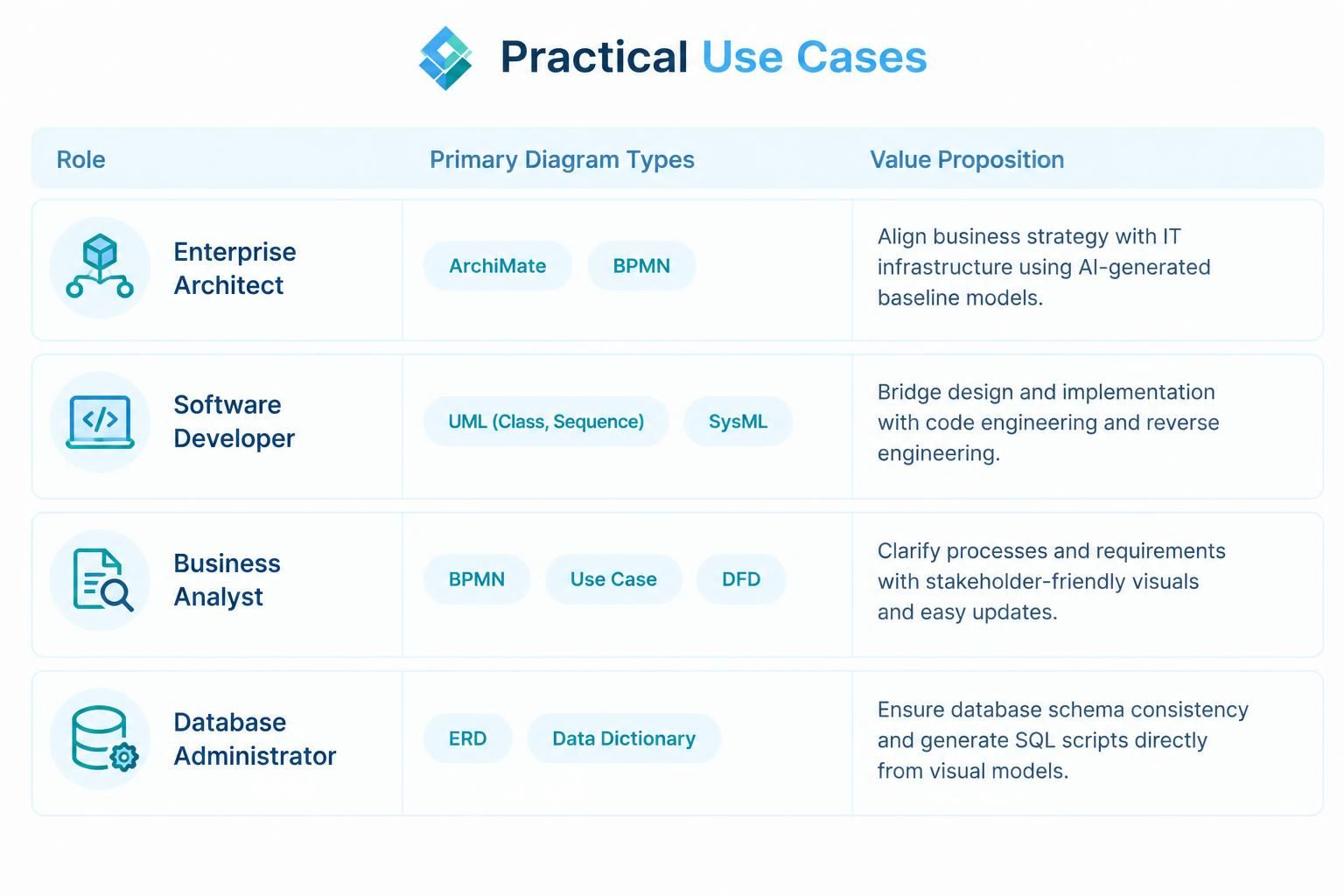
In the modern software development lifecycle, the gap between business strategy and technical implementation is often bridged by a diverse team of professionals. Each role requires a specific lens to view the system architecture, and Visual Paradigm’s ecosystem, enhanced with embedded AI capabilities, provides the necessary tools to streamline these processes. Whether you are an Enterprise Architect aligning high-level strategy or a Database Administrator generating SQL scripts, the “Practical Use Cases” framework demonstrates how specific diagram types serve distinct value propositions.
The Enterprise Architect: Bridging Strategy and Infrastructure
The Enterprise Architect stands at the intersection of business goals and IT capabilities. Their primary challenge is ensuring that the technology stack actually supports the strategic direction of the organization. For this role, the combination of ArchiMate and BPMN is the gold standard.
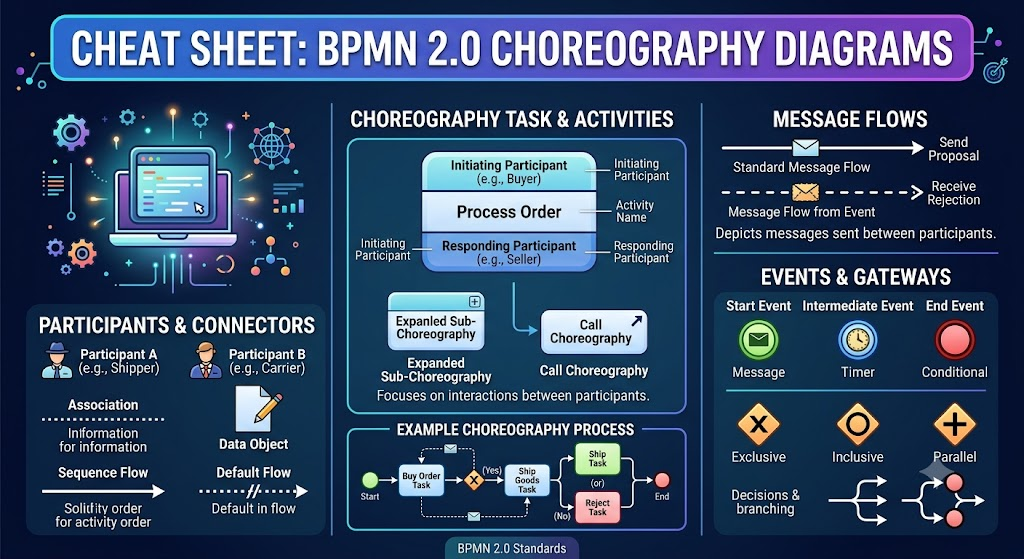
Using ArchiMate, architects can visualize the three-layer architecture (Business, Application, and Technology) to identify gaps between what the business needs and what the IT systems deliver. When paired with BPMN (Business Process Model and Notation), these high-level strategies can be mapped against actual operational workflows.
Visual Paradigm’s AI capabilities enhance this workflow by allowing for the generation of baseline models. Instead of manually drawing complex alignment diagrams, the AI can interpret textual strategy documents and generate the corresponding ArchiMate or BPMN structures, ensuring a rapid “Plan-Do-Check-Act” cycle.
The Software Developer: From Design to Implementation
For the Software Developer, the focus shifts from abstract alignment to concrete implementation details. The most critical diagrams here are UML (Unified Modeling Language) and SysML.
- UML (Class, Sequence): These diagrams are essential for defining the static structure (Class Diagrams) and dynamic behavior (Sequence Diagrams) of the software. They serve as the blueprint for the code.
- SysML (Systems Modeling Language): Often used in complex systems engineering, SysML bridges the gap between software and hardware requirements.
The value proposition here is Code Engineering and Reverse Engineering. In Visual Paradigm, developers can generate production-ready code directly from UML Class diagrams. Conversely, if working with legacy systems, they can reverse engineer existing codebases into visual UML diagrams to understand the architecture before refactoring. This bidirectional flow ensures that the documentation never becomes outdated.
The Business Analyst: Clarifying Requirements
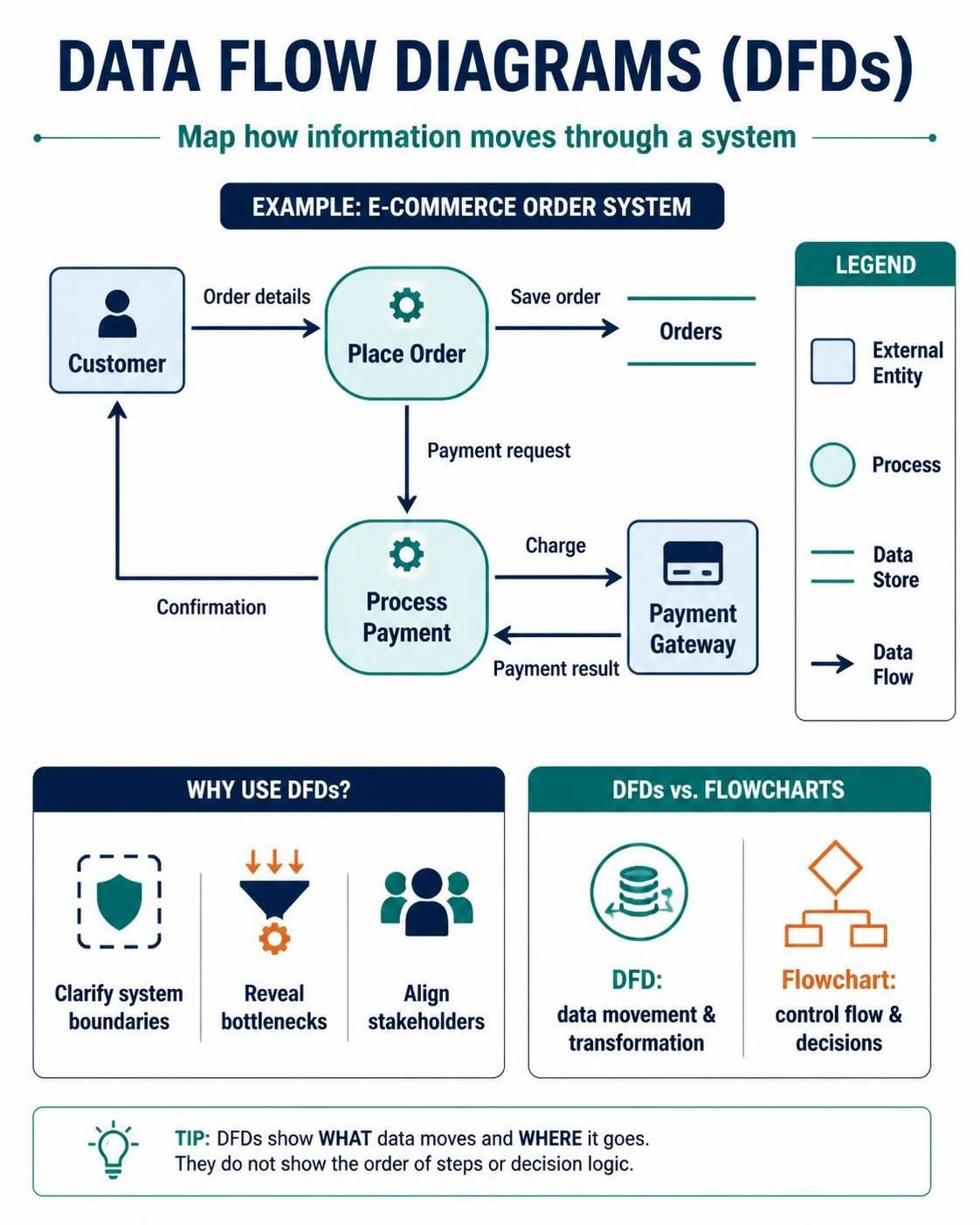
The Business Analyst (BA) acts as the translator between stakeholders and the technical team. Their primary toolset includes BPMN, Use Case diagrams, and DFDs (Data Flow Diagrams).
Stakeholders often struggle with technical jargon. Therefore, the BA must produce visuals that are intuitive. BPMN provides a standardized way to map out “who does what,” while Use Case diagrams clearly define the actors and their interactions with the system. DFDs help visualize how data moves through the system, which is crucial for identifying bottlenecks in information flow.
The goal is to create “stakeholder-friendly visuals.” These diagrams facilitate easier updates and clearer communication during requirement gathering sessions, reducing the risk of scope creep and misunderstandings.
The Database Administrator: Ensuring Data Integrity
Data is the backbone of any enterprise application, and the Database Administrator (DBA) is responsible for its integrity. Their workflow relies heavily on ERDs (Entity Relationship Diagrams) and Data Dictionaries.
An ERD visually represents the relationships between entities (tables) and their attributes (columns). This visual approach is far superior to raw SQL when discussing schema design with non-technical teams. The “Data Dictionary” acts as the metadata repository, defining data types, constraints, and business rules.
The ultimate efficiency gain for the DBA is the ability to generate SQL scripts directly from visual models. By defining the schema in the visual ERD tool, the system can automatically produce the necessary SQL CREATE TABLE, ALTER TABLE, and INDEX scripts, eliminating manual syntax errors and ensuring consistency across environments.
Conclusion
The “Practical Use Cases” table illustrates that effective modeling is not a “one-size-fits-all” endeavor. By leveraging the specific strengths of ArchiMate, UML, BPMN, and ERDs within the Visual Paradigm ecosystem, organizations can create a cohesive workflow. The integration of AI further accelerates this process, allowing roles to focus on strategy and logic rather than the mechanical act of drawing shapes.