Mastering Architectural Agility with VPasCode AI
In the modern landscape of software engineering and product management, the gap between a conceptual idea and a documented architectural blueprint is closing faster than ever. Visual Paradigm’s VPasCode platform, powered by embedded AI, represents a paradigm shift from manual diagramming to conversational modeling. This tutorial explores how AI tools—specifically Generation, Modification, and Translation—are transforming the way we visualize complex systems, manage product workflows, and communicate across global boundaries.
The New Unified AI Interface
Accessing these powerful capabilities is designed to be as seamless as the diagrams they produce. Gone are the days of memorizing complex syntax or navigating labyrinthine toolbars. The unified interface integrates directly into your workflow, allowing you to leverage natural language to drive technical precision.
Accessing the Tools
To begin your journey with AI-assisted modeling, follow these straightforward steps:
- Launch VPasCode: Open the application in your web browser to access the latest workspace environment.
- Locate the App Bar: Look at the top of your workspace interface. This area houses your primary navigation and tool selection.
- Open the AI Menu: Click on the AI Tools drop-down menu. This acts as the gateway to the three core AI capabilities.
- Select Your Action: Choose the specific function required for your current task:
- Generate: Use this to create a new diagram from scratch based on a text description.
- Modify: Use this to update an existing diagram, adding or removing elements via natural language.
- Translate: Use this to instantly change the language of diagram text for international audiences.
Practical Use Cases: Transforming Roles
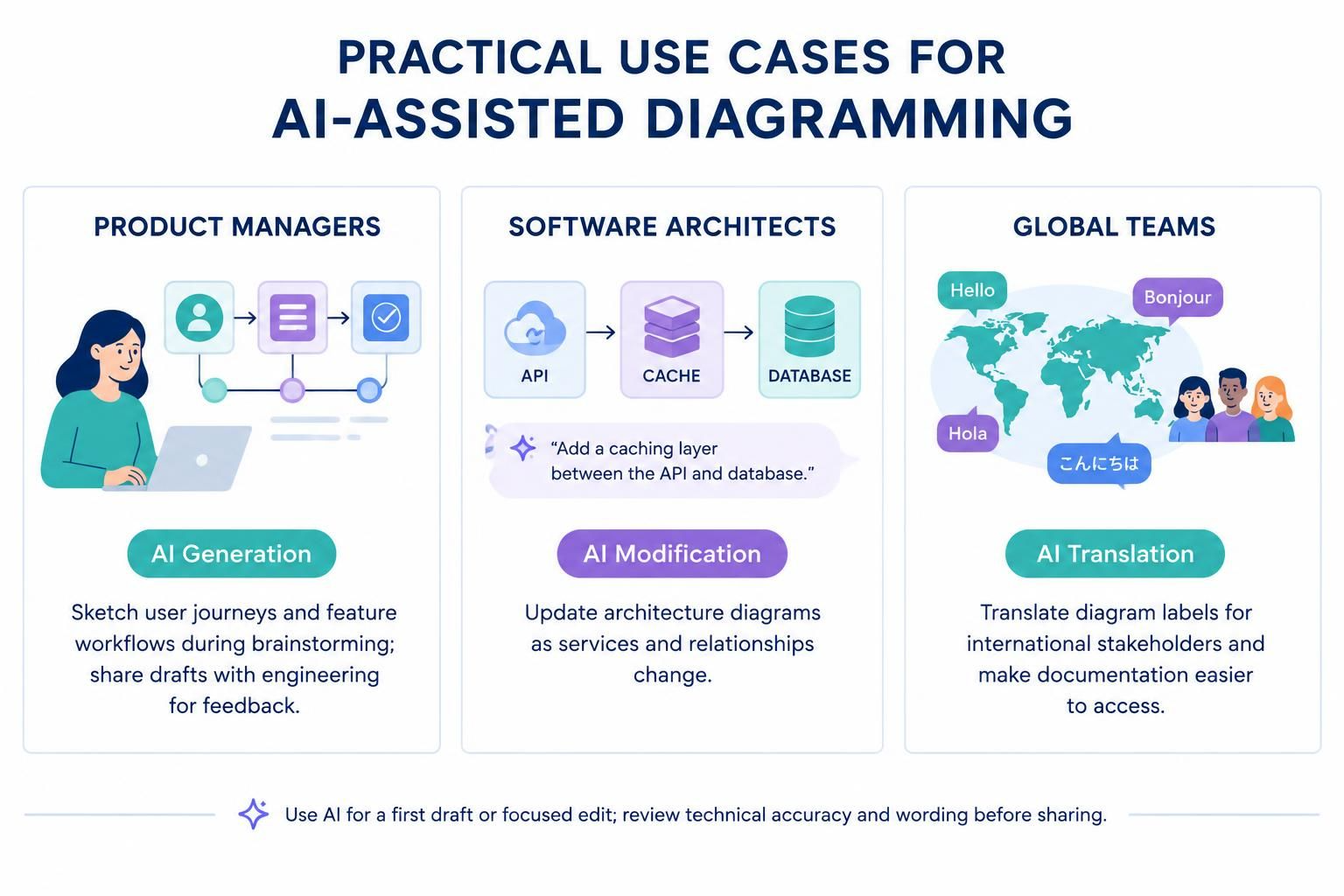
The true power of this system lies in its ability to adapt to specific roles within the software development lifecycle. Whether you are sketching high-level user flows or refining intricate backend architectures, the AI adapts to your needs.
1. For Product Managers: Rapid Ideation with AI Generation
Product Managers often face the challenge of communicating abstract user experiences to engineering teams. AI Generation removes the friction of drawing tools, allowing you to focus purely on logic and flow.
- The Workflow: During brainstorming sessions, describe your user journey or feature workflow in natural language. The AI instantly sketches out the diagram.
- The Benefit: This allows for rapid iteration. Instead of getting bogged down in alignment tools, you can generate a draft, share it with engineers for immediate feedback, and refine the concept based on that input.
2. For Software Architects: Dynamic Architecture with AI Modification
Architectural diagrams often become obsolete as quickly as they are created. Services are added, databases are swapped, and APIs are deprecated. AI Modification ensures your documentation remains a living artifact.
- The Workflow: Instead of manually redrawing entire sections of a system, simply ask the AI to “add a new caching layer between the API and the database.”
- The Benefit: This preserves the context of the existing diagram while injecting new structural elements. It allows architects to model the “What if?” scenarios without the overhead of recreating the entire schema.
3. For Global Teams: Breaking Barriers with AI Translation
In distributed organizations, language barriers can stall technical progress. AI Translation ensures that technical documentation is accessible to all stakeholders, regardless of their primary language.
- The Workflow: Prepare presentation-ready diagrams in your native language, then utilize the translation tool to adapt labels and text for international stakeholders.
- The Benefit: It democratizes access to technical knowledge. Whether your team is in Tokyo, Paris, or New York, everyone can understand the system architecture without needing a dedicated translator for your diagrams.
Best Practices for AI-Assisted Modeling
While AI is a powerful accelerator, it functions best as a collaborative partner rather than a replacement for human oversight. The most effective workflows involve a “human-in-the-loop” approach.
Always treat the AI output as a robust first draft. Review the technical accuracy, verify the logical connections, and ensure the wording aligns with your specific organizational standards before sharing the diagram with stakeholders. This hybrid approach maximizes speed without compromising quality.