![Free eBooks of IT [BooksOfAll]](https://www.booksofall.com/wp-content/uploads/2022/06/booksofall-logo-2.png)
The Comprehensive Guide to Fliplify (Visual Paradigm Online Flipbook Maker)
Overview
Fliplify is a comprehensive digital publishing platform integrated within Visual Paradigm Online. It transforms static documents (PDFs, PowerPoints, Word files, and more) into interactive, animated flipbooks with realistic page-turning effects.
Unlike basic converters, Fliplify combines intuitive drag-and-drop design, AI-powered content generation, rich multimedia tools, and advanced distribution features—including SEO, analytics, customizable virtual bookshelves, and self-hosting options. It is designed for individuals, educators, marketers, and enterprises creating engaging e-books, catalogs, reports, brochures, photo albums, and marketing materials.
1. Content Creation & AI Support
Fliplify offers flexible creation methods, ranging from converting existing files to building publications from scratch.
-
Flipbook Designer:
-
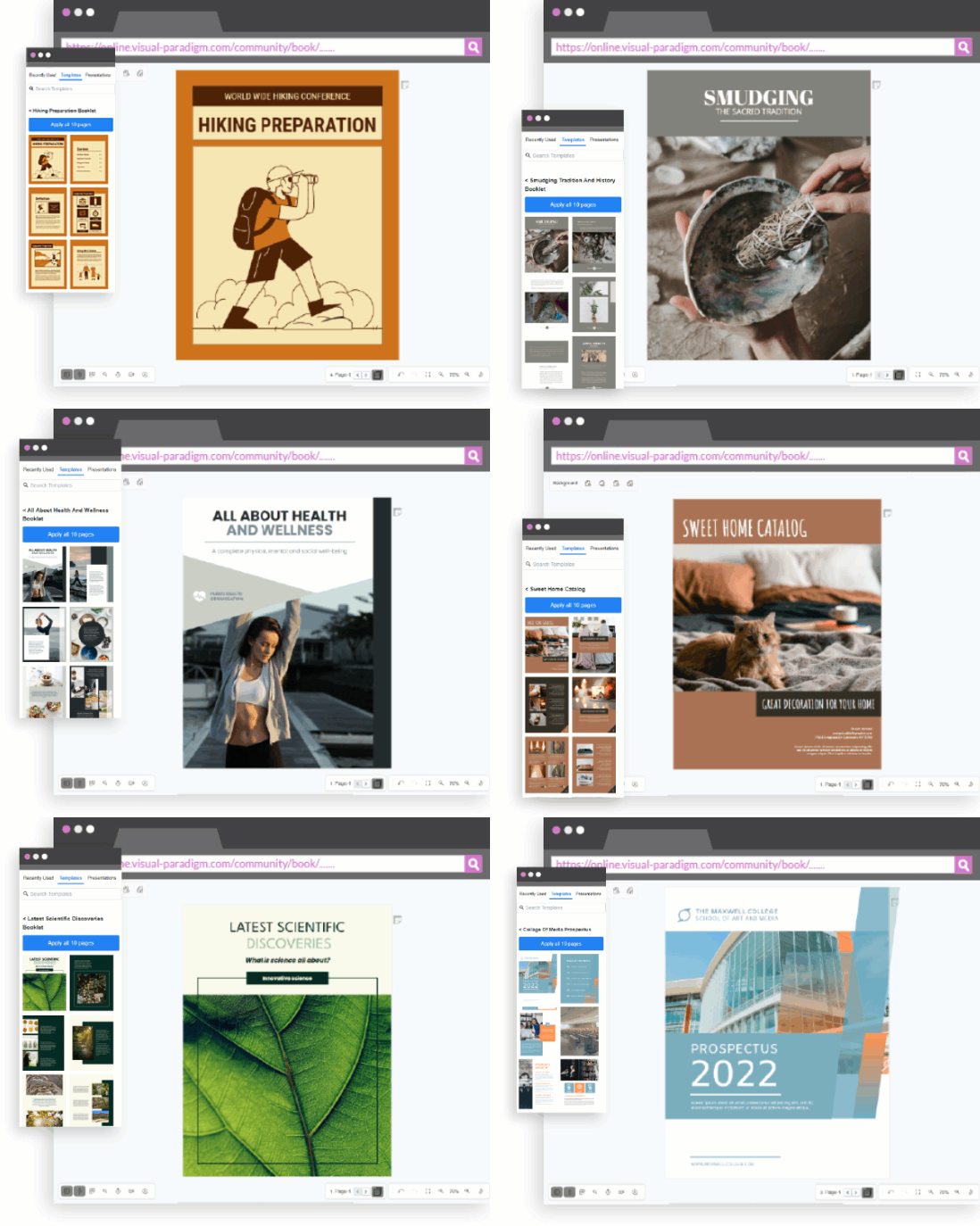
Powerful drag-and-drop editor for building layouts from the ground up.
-
Template Library: Pre-made templates for reports, booklets, catalogs, lookbooks, photo books, brochures, CVs, and more.
-
Asset Library: Access to graphic assets, illustrations, stock photos, and effects.
-
Branding: Customize layouts, fonts, colors, and logos to match corporate identity.
-
-
AI-Powered Flipbook Maker:
-
Automated Generation: Enter a topic, select audience, tone, and page count.
-
Structure: AI generates a complete book outline (chapters and sections).
-
Visuals: Creates unique AI-generated images for each page and a custom book cover.
-
No Design Skills Required: Ideal for rapid prototyping or users without design experience.
-
2. File Conversion & Supported Formats
Fliplify converts a wide range of static formats into interactive HTML5 flipbooks. Note: Format support varies by edition (see Editions & Pricing below).
| Format Category | Supported Extensions | Availability |
|---|---|---|
| Standard | Free / All Plans | |
| Documents | DOC, DOCX, ODT, RTF, TXT, HTML, DOTX | Starter + |
| Presentations | PPT, PPTX, ODP, POTX, PPSX | Starter + |
| Spreadsheets | XLS, XLSX, XLSM | Starter + |
| E-Books | EPUB, MOBI, AZW3, AZW4, CHM, DJVU, FB2, LIT, LRF, PDB, PML, RB, SNB, TCR | Combo + |
| Comics | CBR, CBZ | Combo + |
| Images | JPG, PNG | All Plans |
| Batch Conversion | Multiple files at once | Combo + |
3. Multimedia Integration & Animation
Enhance engagement with dynamic content and realistic effects.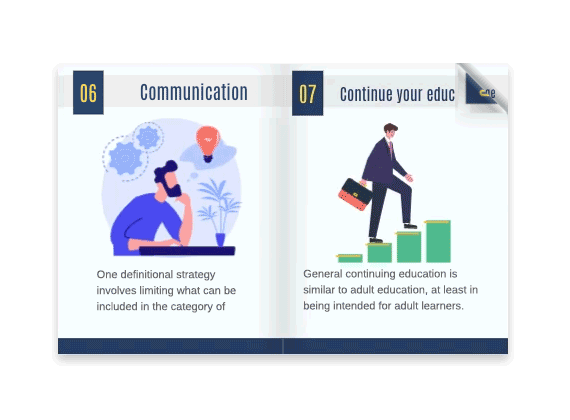
-
Multimedia Embedding:
-
Embed videos (YouTube, Vimeo, direct upload), audio files, and animated GIFs.
-
Insert interactive hyperlinks and Lottie animations for lightweight vector graphics.
-
Add shapes, photos, and text with rich editing options.
-
-
Animations & Effects:
-
Page Transitions: Over 70 customizable effects (e.g., fade, slide, flip) for dynamic visual flair.
-
Element Animation: Apply automatic or custom animations to shapes, photos, and text that trigger as readers flip pages.
-
AniFuzion Integration: Access customizable 2D and 3D characters and animations for immersive storytelling and PowerPoint-style effects.
-
Realistic Flip: Physics-based page-turning simulations that mimic physical books.
-
4. Reader Experience & Accessibility
Fliplify ensures publications are accessible, responsive, and user-friendly across all devices.
-
Responsive Design:
-
Built on HTML5 for full responsiveness across desktops, tablets, and smartphones.
-
Mobile Reader Mode: Optimized readability with thumbnails for quick navigation and smooth performance.
-
Performance: Lazy loading ensures pages load on-demand; CDN delivery ensures fast global access.
-
-
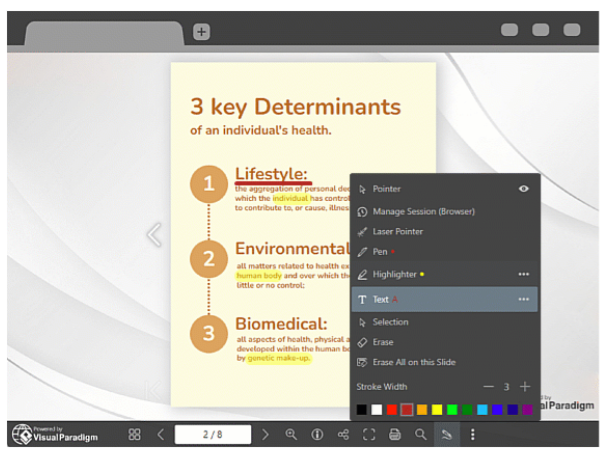
Annotation Tools:
-
Pen: Freehand drawing and note-taking.
-
Highlighter: Emphasize text with translucent color overlays.
-
Laser Pointer: Guide audience focus during live presentations.
-
Eraser: Remove unwanted marks.
-
Annotation Modes: Choose between Disposable (clears on browser close) or Persistent (saved to account for cross-device access).
-
-
Accessibility Features:
-
Keyboard Navigation: Full arrow-key and tab navigation support.
-
Visual Themes: Light, dark, and sepia modes to reduce eye strain.
-
Text Scaling: Adjustable font sizes in reading mode.
-
Multilingual Support: Renders Unicode text for virtually any language/script.
-
Screen Reader Compatibility: Semantic HTML structure aids assistive technologies.
-
-
Reader Controls (Author Configurable):
-
View Mode: Toggle between single-page (mobile) and double-page spread (desktop).
-
Distraction-Free Mode: Hide UI chrome for focused reading.
-
Content Protection: Enable/disable text selection copying and printing permissions.
-
5. Distribution, SEO & Publishing
Advanced tools to ensure your flipbooks are found, shared, and displayed professionally.
-
SEO Capabilities:
-
Crawlable Content: Flipbooks are indexed by search engines.
-
Metadata Control: Customize Page Titles, Descriptions, and Meta Tags.
-
URL Slugs: Edit flipbook URL paths for keyword optimization.
-
Social Sharing: Open Graph tags control how flipbooks appear when shared on Facebook, LinkedIn, X (Twitter), etc.
-
Indexing Toggle: Option to allow or disallow search engine crawling per publication.
-
-
Sharing Mechanisms:
-
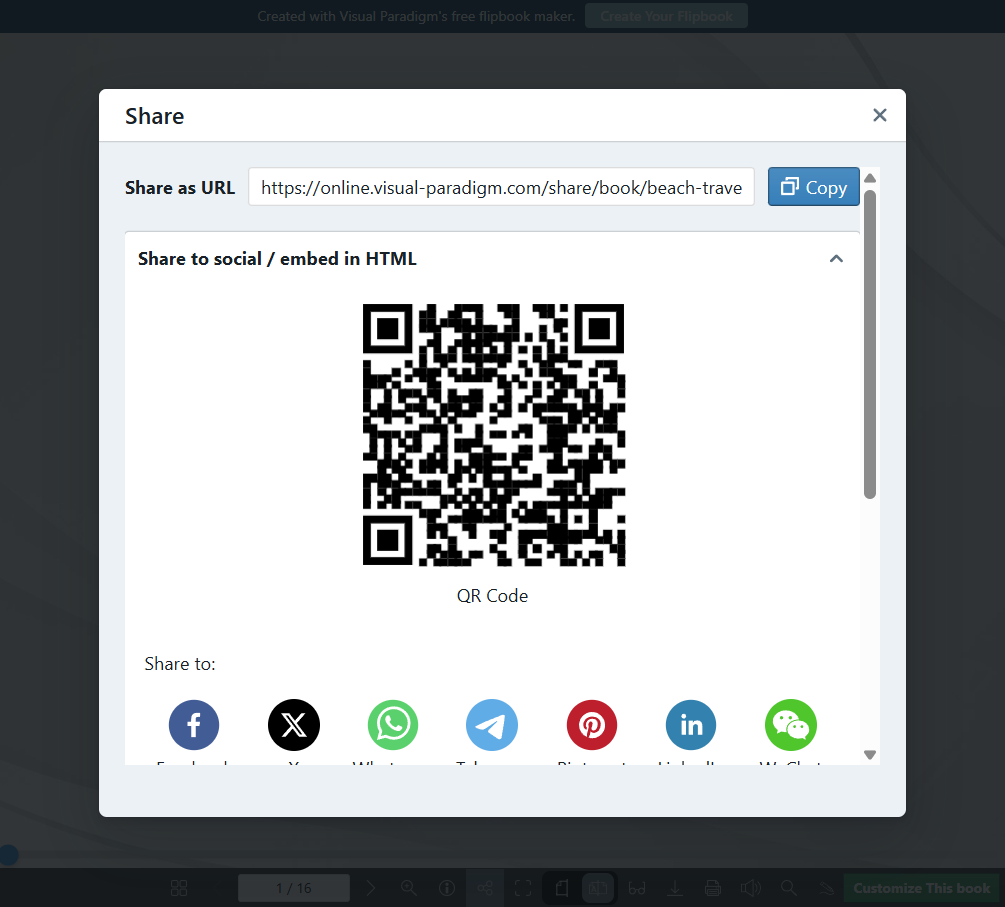
Unique URL links and QR codes.
-
Direct email to readers.
-
Embed code (HTML iframe) for websites and blogs.
-
-
Display Hall & Pipeline:
-
Pipeline: One-click transfer of published flipbooks directly into the Display Hall without manual download/re-upload.
-
Display Hall: A professional web-based showcase editor to curate multiple flipbooks into a single landing page/gallery.
-
Curation: Drag-and-drop arrangement, custom themes, backgrounds, and decorative accessories.
-
Showcase URL: Each bookshelf gets a unique shareable URL (e.g.,
yourbrand.com/showcase).
-
-
Hosting Options:
-
Cloud Hosting: Hosted on Visual Paradigm servers.
-
Self-Hosting: Export assets to host on your own independent servers/domains for full control (Enterprise-friendly).
-
6. Security & Access Control
Enterprise-grade security features to protect sensitive content.
-
Password Protection: Secure flipbooks with access codes.
-
Domain Restriction: Limit flipbook embedding to specific approved domains (prevent unauthorized embedding).
-
Access Expiration: Set auto-revoke dates for temporary access (Premium feature).
-
Email-Gated Access: Share flipbooks only with specific verified email addresses.
-
Watermarking: Add dynamic text or image watermarks to discourage unauthorized sharing.
7. Analytics & Performance Tracking
Gain insights into how readers interact with your content.
-
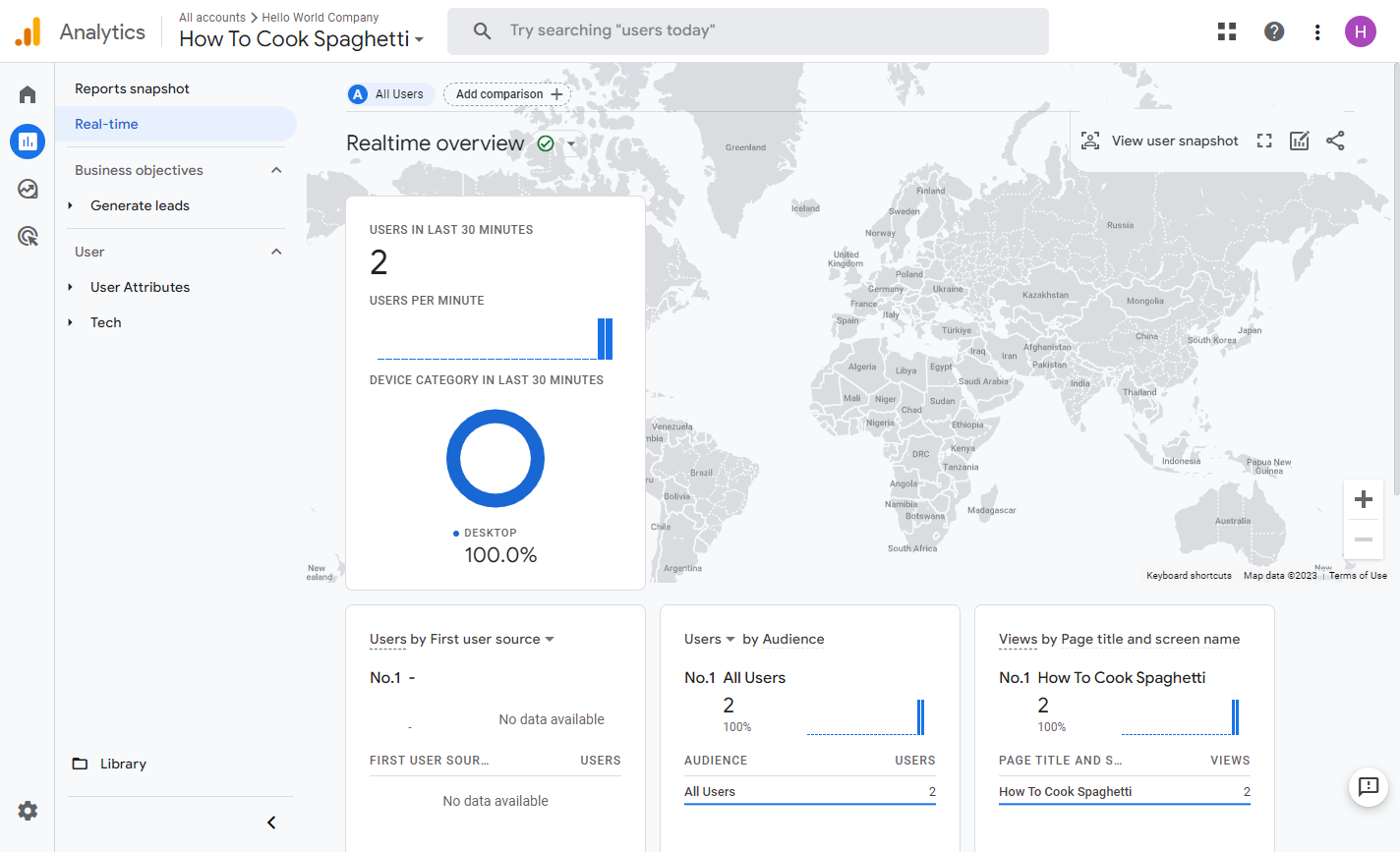
Google Analytics Integration: Connect your GA account for deep diving (typically premium).
-
Built-in Metrics:
-
Page view counts and unique visitor tracking.
-
Average time spent per page and total flipbook.
-
Navigation patterns (identifying skipped or revisited pages).
-
Device and geographic distribution of readers.
-
Conversion tracking via UTM parameters on shared links.
-
8. Collaboration & Teamwork
Features designed for organizational workflows (Combo/Enterprise tiers).
-
Workspace Sharing: Invite team members to co-edit flipbooks within Visual Paradigm Online workspaces.
-
Version History: Track changes and revert to previous versions.
-
Comment Threads: Add contextual comments on pages for team feedback (distinct from reader annotations).
-
Corporate Branding: Enforce branding consistency across all team publications.
9. Editions & Pricing Overview
While specific pricing may change, features are generally tiered as follows:
| Feature | Free / Starter | Advance / Combo | Deluxe / Enterprise |
|---|---|---|---|
| PDF Conversion | ✅ | ✅ | ✅ |
| Office/Ebook Formats | ❌ | ✅ | ✅ |
| AI Flipbook Maker | Limited | ✅ | ✅ |
| AniFuzion Integration | ❌ | ✅ | ✅ |
| Self-Hosting | ❌ | ❌ | ✅ |
| Advanced Security | Basic | Standard | Full (Domain/Expiration) |
| Analytics | Basic | Standard | Full (GA Integration) |
| Virtual Bookshelf | Limited | ✅ | Unlimited |
| Support | Community | Priority | Dedicated |
(Note: Specific plan names and pricing, such as Starter at ~$4–5/user/month, are subject to change. Please check the official Visual Paradigm website for current rates.)
Conclusion
Fliplify stands out in the digital publishing market due to its blend of AI automation, deep animation capabilities via AniFuzion, flexible self-hosting, and the immersive Virtual Bookshelf. It bridges the gap between simple PDF converters and complex design suites, making it suitable for:
-
Marketers creating interactive catalogs and brochures.
-
Educators building engaging textbooks and presentations.
-
Enterprises requiring secure, branded, and analyzable internal documents.
-
Individuals looking to publish portfolios or photo albums with minimal effort.
By leveraging its robust annotation tools, accessibility features, and granular security controls, Fliplify ensures that content is not only visually stunning but also secure, measurable, and accessible to all audiences.
Related posts:
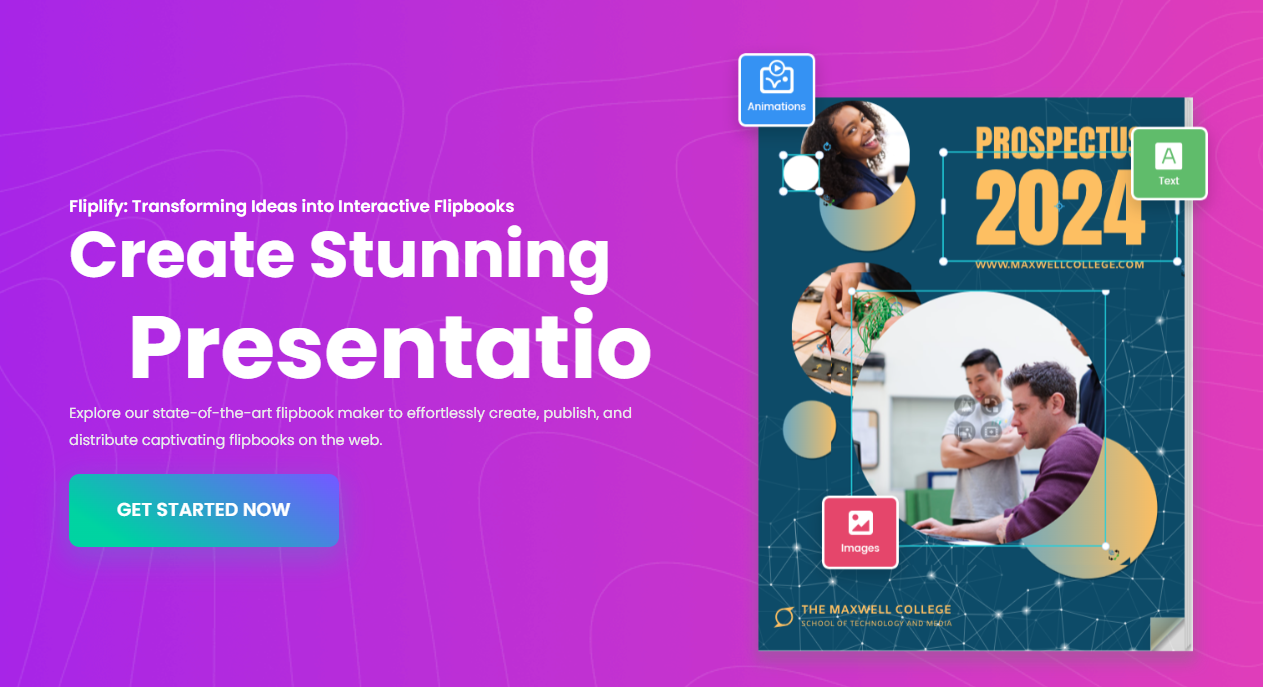 Fliplify: Leading Flipbook Tool Features
 Creating Stunning Presentation Flipbooks for Different Domains with Visual Paradigm AniFuzion
 AI Flipbook Maker Lite: A Comprehensive Product Review & User Experience Guide
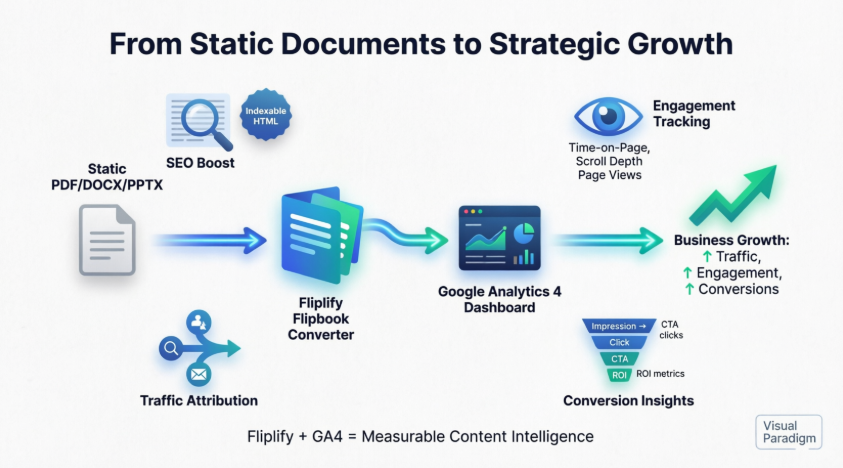 From Passive PDFs to Profitable Insights: A User’s Journey to Mastering Flipbook Analytics with Google Analytics 4



Comments (0)