![Free eBooks of IT [BooksOfAll]](https://www.booksofall.com/wp-content/uploads/2022/06/booksofall-logo-2.png)
Visual Paradigm AI Ecosystem: A Comprehensive Guide to the Future of Intelligent Visual Modeling
In an era where AI is transforming how we design, document, and engineer systems, Visual Paradigm (VP) has evolved into a powerful, multi-platform AI-powered ecosystem that bridges the gap between one-shot AI generation and professional-grade visual modeling. Unlike basic AI tools that produce static, uneditable diagrams, Visual Paradigm’s AI generates interactive, traceable, and production-ready models—making it ideal for enterprise architects, software developers, and business strategists alike.
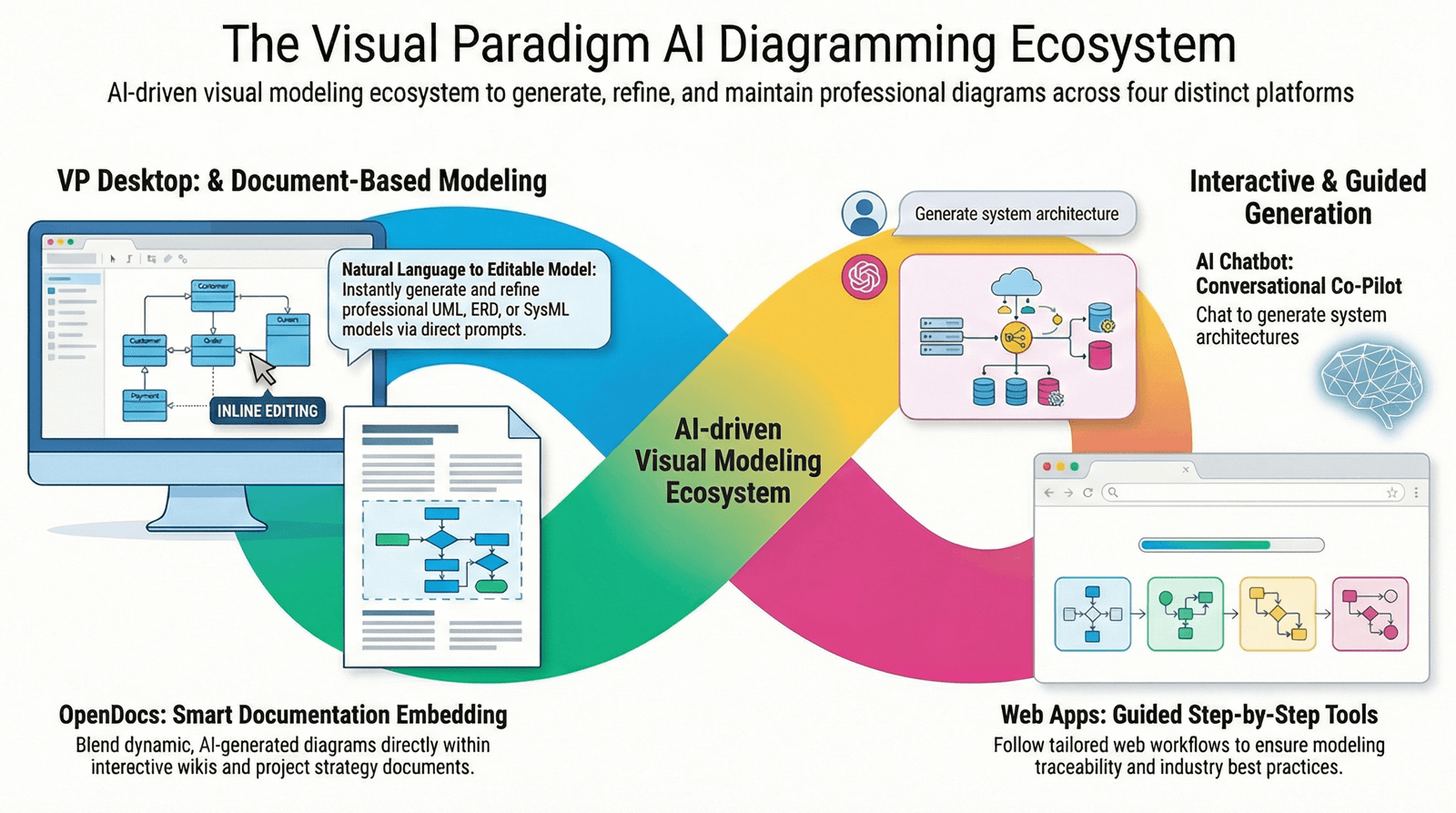
This article explores the four core pillars of the Visual Paradigm AI ecosystem, compares their capabilities, and provides clear guidance on which tool to use for your specific needs.
🔷 The Four Pillars of Visual Paradigm AI
1. VP Desktop (Visual Model AI Generator)
The Powerhouse for Enterprise Engineering
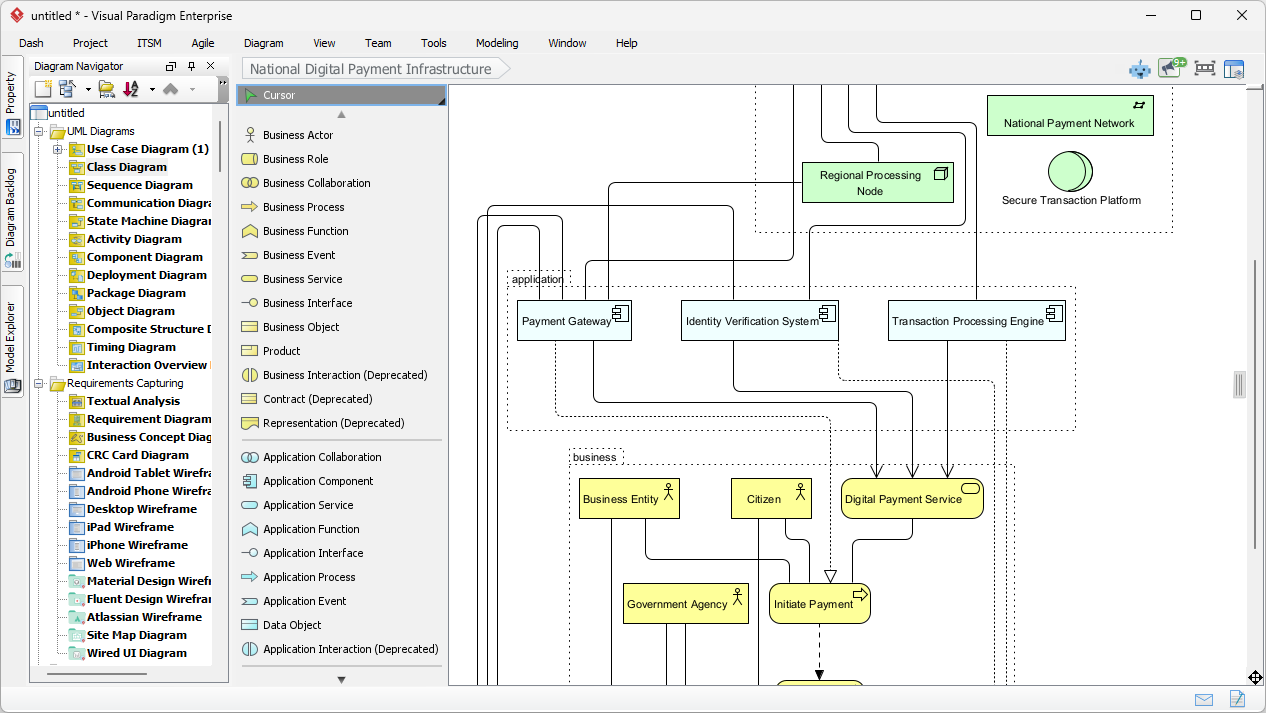
Best for: Enterprise-level software and systems engineering, complex UML/SysML modeling, and teams requiring full control over code generation and versioning.
Why It Stands Out:
-
Integrates AI directly into a full-featured modeling IDE.
-
Generates models that are not just visual but editable, traceable, and exportable into real code (Java, C++, Python, etc.).
-
Supports version control, team collaboration via server, and integration with CI/CD pipelines.
Ideal Use Case:
An enterprise architect designing a microservices-based banking system needs to generate class diagrams, sequence diagrams, and SysML models—then link them to actual database schemas and generate backend code. VP Desktop delivers this with precision and scalability.
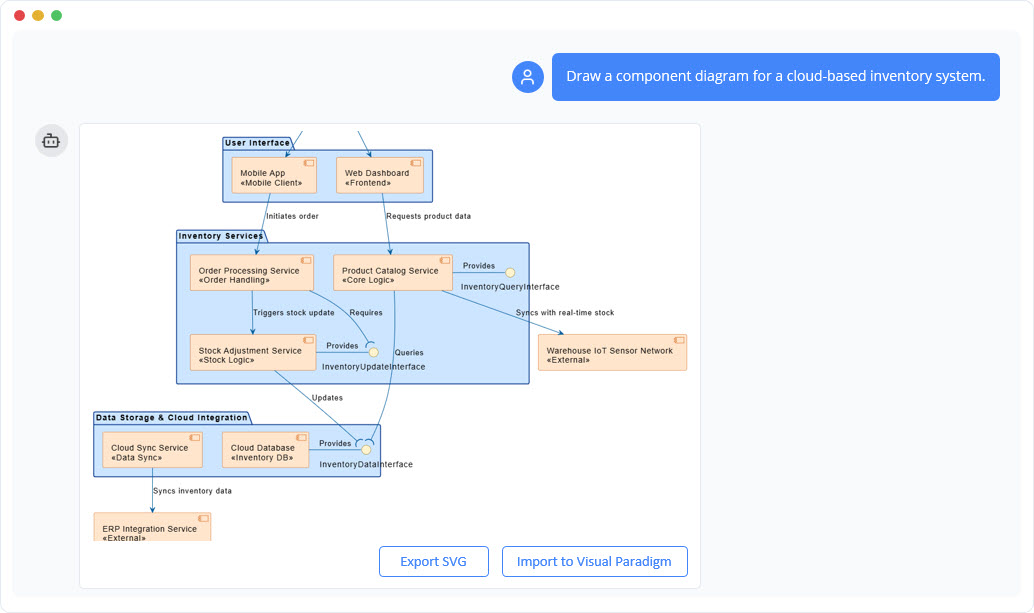
2. AI Visual Modeling Chatbot (The Co-Pilot)
Your Agile Brainstorming Partner
Best for: Rapid ideation, overcoming “blank canvas” syndrome, and quick prototyping.
Why It Stands Out:
-
A conversational interface that lets you describe your system in plain language.
-
Actively refines diagrams through follow-up questions: “Can you show how the user authentication flows?” → “Now add a timeout mechanism.”
-
Ideal for non-technical stakeholders to contribute early-stage designs.
Ideal Use Case:
A product manager describes a new checkout flow: “Show me a sequence diagram where a user logs in, adds items to cart, applies a discount code, and completes payment.” The AI generates a draft instantly—perfect for sprint planning or stakeholder alignment.
3. OpenDocs (Casual / Collaborative Diagramming)
Where Knowledge Meets Living Diagrams
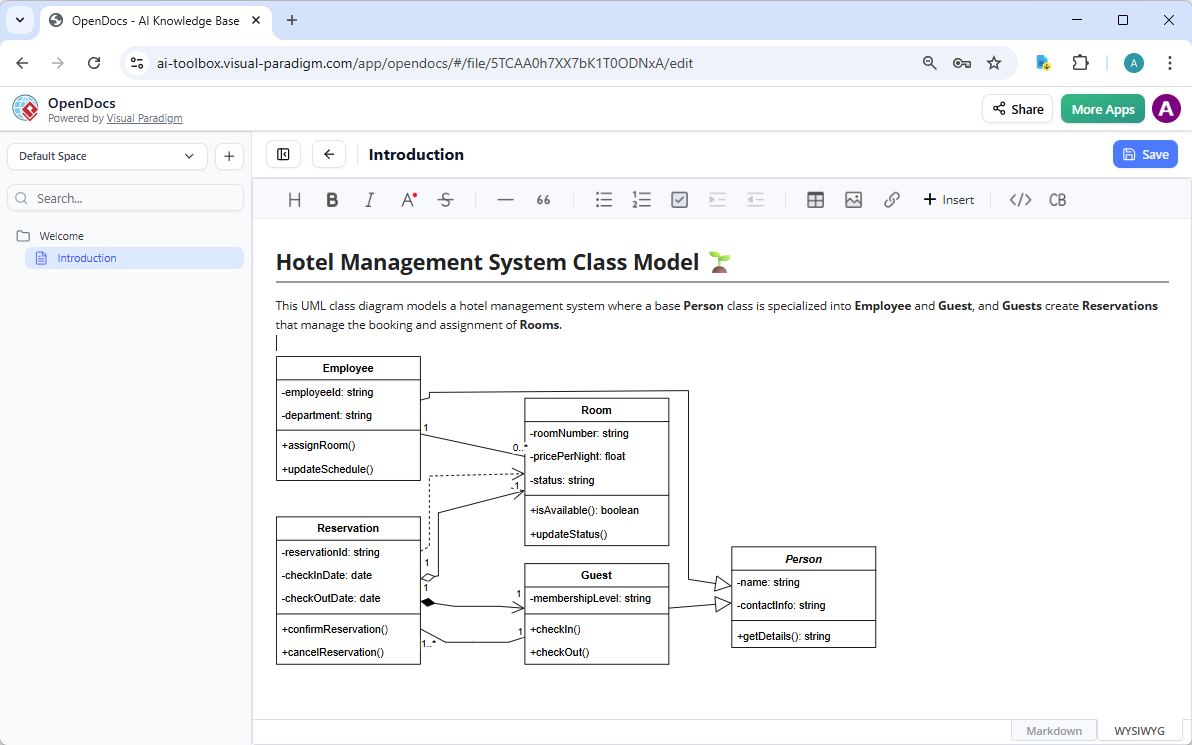
Best for: Internal wikis, strategy documents, team knowledge bases, and collaborative documentation.
Why It Stands Out:
-
Functions like a Notion-like workspace, but with embedded, AI-powered diagrams.
-
Diagrams are not static images—they’re live elements that can be edited directly in the document.
-
Enables real-time collaboration and dynamic updates across teams.
Ideal Use Case:
Building a company onboarding handbook with interactive process flows, org charts, and SWOT analysis. Team members can view, comment, and edit diagrams on the fly—ensuring documentation stays current.
4. Specialized Web Apps (Step-by-Step AI Studios)
Guided Modeling for Methodology-Driven Teams
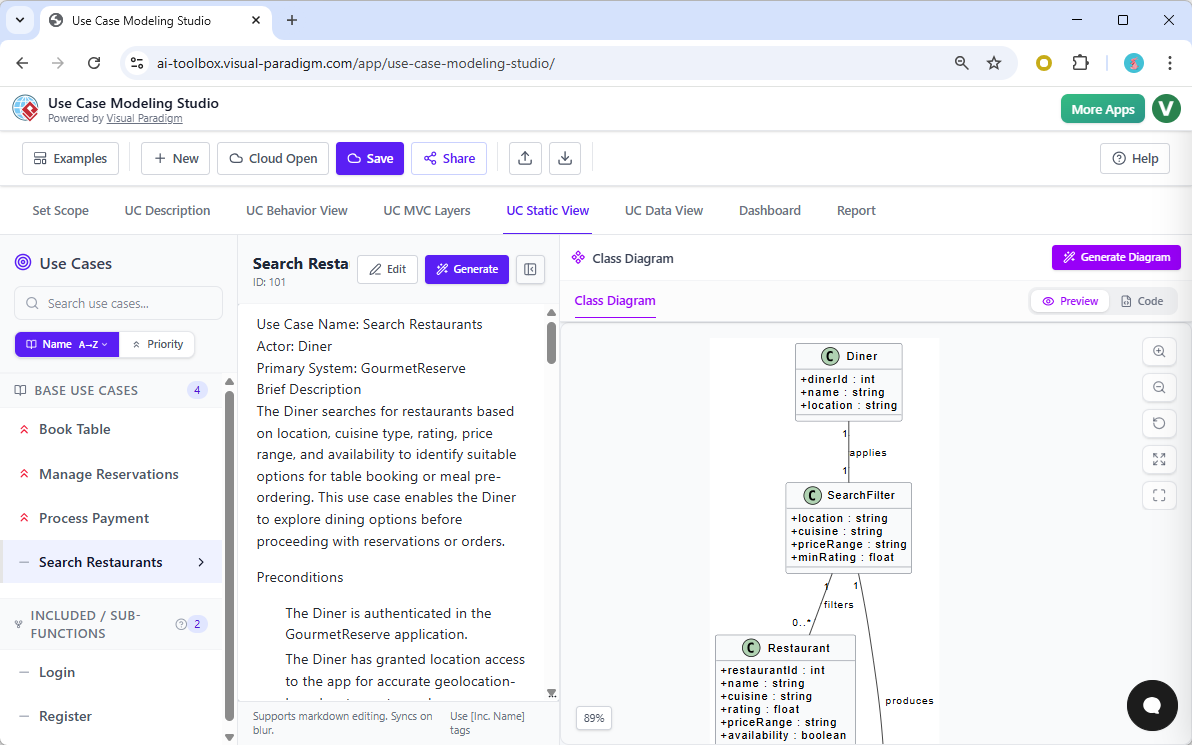
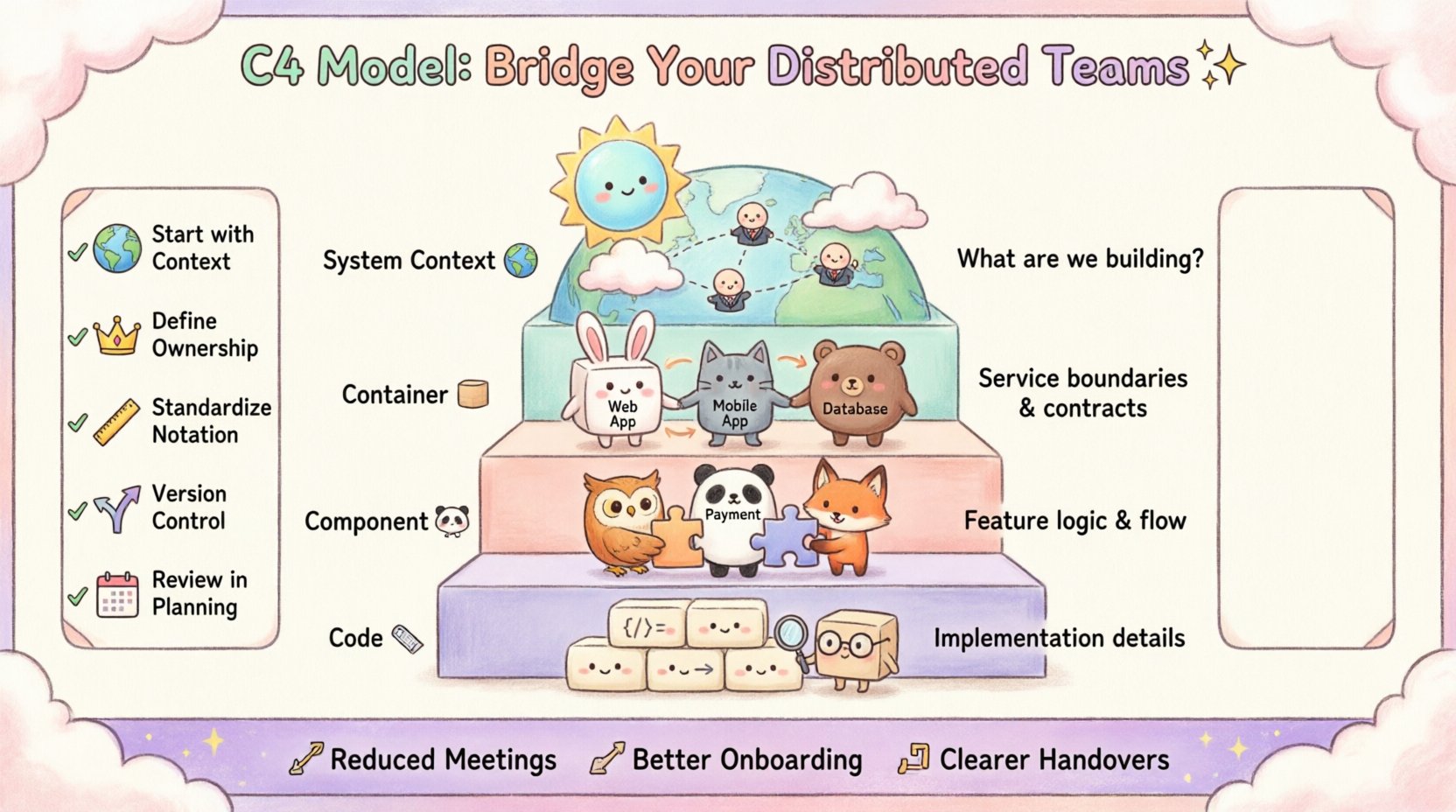
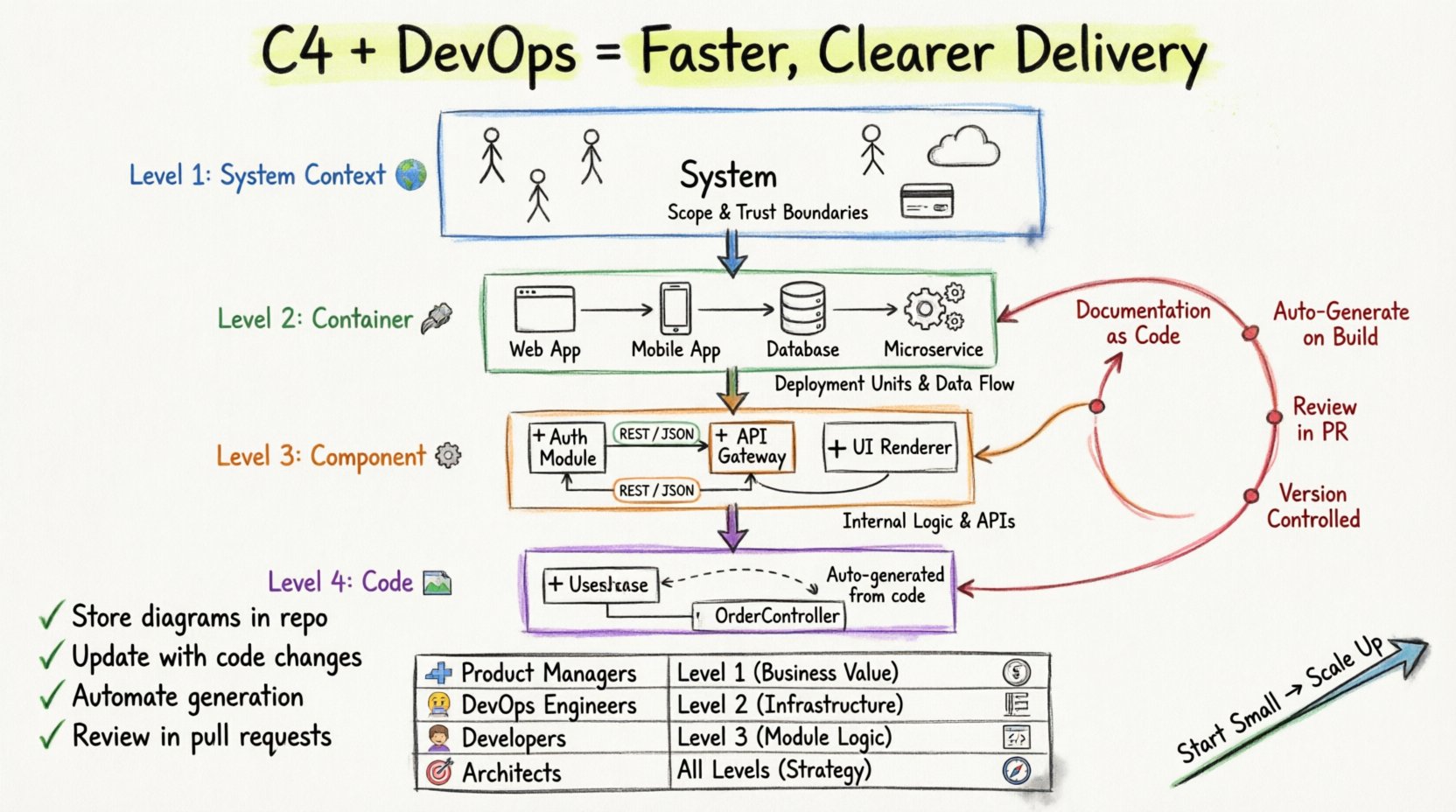
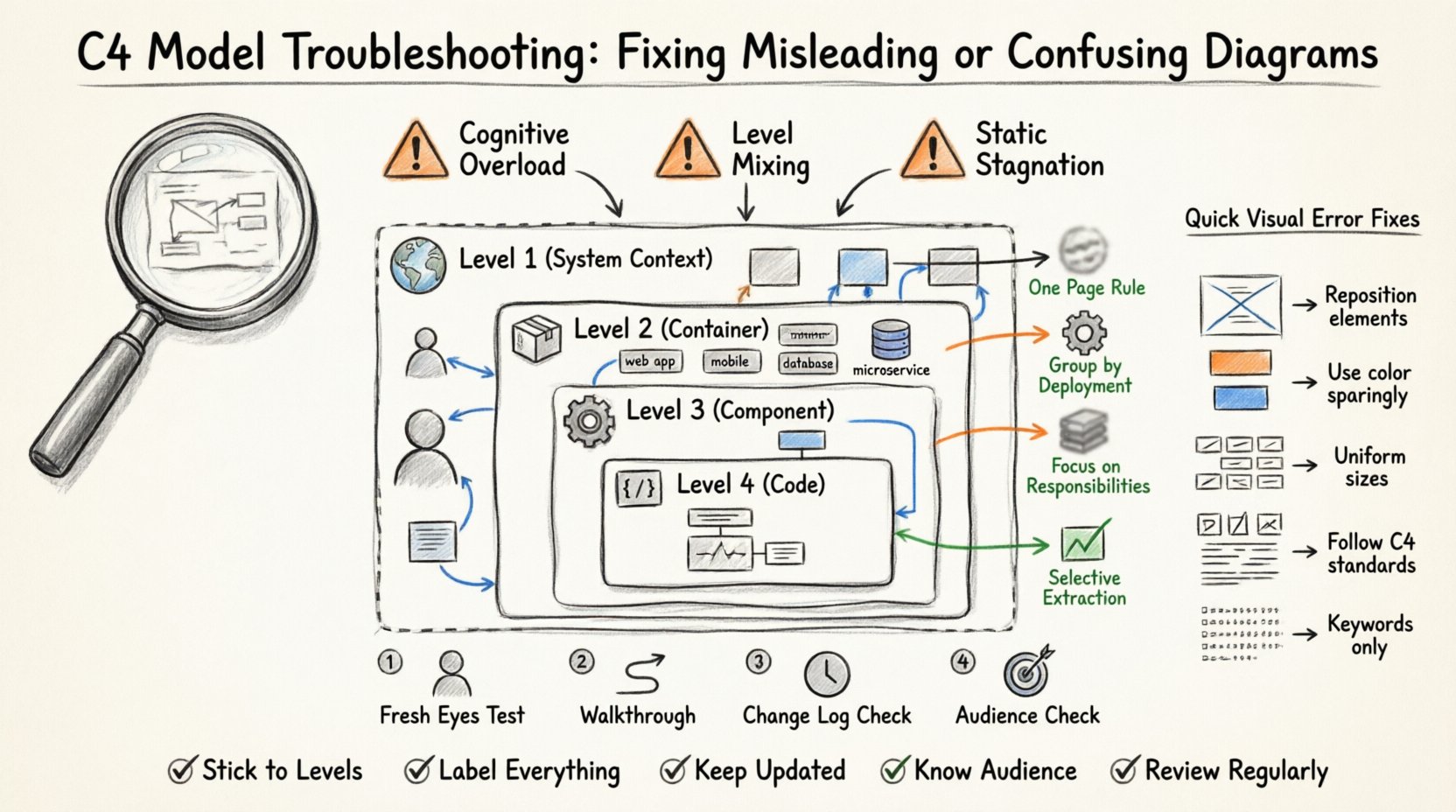
Best for: Users following strict frameworks like C4, use case modeling, or enterprise architecture standards.
Why It Stands Out:
-
Browser-based, focused studios tailored for specific methodologies:
-
C4 PlantUML Studio – For architecture documentation using the C4 model.
-
Use Case Modeling Studio – Step-by-step guidance for creating robust use case diagrams.
-
SWOT & PEST Analysis Studio – Infographic-style templates for business strategy.
-
-
Enforces best practices, ensures consistency, and maintains traceability across abstraction levels.
Ideal Use Case:
A software team building a cloud migration strategy must produce a C4 model report. The C4 PlantUML Studio guides them through context, containers, components, and code—ensuring compliance with architectural standards.
📊 Feature Comparison: Which Tool Fits Your Need?
| Feature Category | VP Desktop | AI Chatbot | OpenDocs | Web App Studios |
|---|---|---|---|---|
| UML (Class, Sequence, etc.) | ✅ Full Support | ✅ High (Chat-based) | ✅ Embedded | ✅ Method-specific |
| SysML (Systems Engineering) | ✅ Full Support | ✅ High | ⚠️ Moderate | ❌ Limited |
| C4 Model (Architecture) | ✅ Full Support | ✅ High | ⚠️ Low | ✅ Specialized Studio |
| Business Strategy (SWOT, PEST) | ✅ High | ✅ Best for Analysis | ⚠️ Moderate | ✅ High (Infographics) |
| Enterprise (ArchiMate) | ✅ Full Support | ✅ High | ⚠️ Moderate | ❌ Limited |
| Collaboration | 📌 Local/Team Server | 📌 Individual/Chat | ✅ Real-time Wiki | 📌 Individual |
🔍 Key Insight:
While all platforms support AI-driven diagram creation, VP Desktop and Web App Studios are best for precision and compliance, while OpenDocs and the Chatbot shine in collaboration and ideation.
🔄 Choosing the Right Tool: A Decision Matrix
✅ When to Use the AI Chatbot vs. VP Desktop
| Scenario | Recommended Tool |
|---|---|
| You’re in the early discovery phase and need to explore system behavior. | ✅ AI Chatbot |
| You’ve defined the architecture and need to generate code, link diagrams, or manage 50+ interdependent models. | ✅ VP Desktop |
💡 Pro Tip: Start in the Chatbot to sketch ideas—then open the output in VP Desktop for engineering-level refinement.
✅ When to Use Web App Studios vs. OpenDocs
| Scenario | Recommended Tool |
|---|---|
| You’re building a formal architecture report using the C4 model or following a strict methodology. | ✅ Web App Studio |
| You’re creating a team wiki, onboarding guide, or internal strategy document where visuals must live with text and be editable. | ✅ OpenDocs |
💡 Pro Tip: Use Web App Studios for structured outputs and OpenDocs for living documentation.
✨ Why Visual Paradigm AI Stands Out
Most AI diagram tools (e.g., Mermaid, diagrams.net with AI) generate static images that are difficult to edit or trace. Visual Paradigm breaks this mold by offering:
✅ Key Advantages
-
Traceability Across Models: A change in a Use Case diagram automatically updates related Activity or Sequence diagrams.
-
Hybrid Workflow Flexibility: Start in the Chatbot → Refine in OpenDocs → Finalize in VP Desktop.
-
Methodology Enforcement: Web Studios ensure your diagrams follow industry standards (C4, ArchiMate, etc.).
-
End-to-End Integration: From idea to code, all stages are unified under one ecosystem.
⚠️ Considerations
-
Learning Curve: VP Desktop is powerful but may feel overwhelming for beginners. Start with the Chatbot or OpenDocs.
-
Platform Fragmentation: While integration is improving, users must still choose their starting point based on workflow stage.
🏁 Final Verdict: The Ultimate AI Modeling Suite
Visual Paradigm isn’t just an AI diagram tool—it’s an intelligent modeling ecosystem.
Whether you’re a product manager brainstorming flows, a developer generating code from models, an architect building enterprise systems, or a team documenting strategy, there’s a Visual Paradigm AI tool tailored for your role.
🎯 Recommendation Summary:
-
Start with the AI Chatbot for fast ideation.
-
Use OpenDocs for collaborative, living documentation.
-
Choose Web App Studios for methodology-driven projects.
-
Go to VP Desktop for full engineering control and code generation.
🌐 Ready to Transform Your Workflow?
Explore the Visual Paradigm AI ecosystem today and turn your ideas into intelligent, traceable, and production-ready models—not just pretty pictures.
The future of visual modeling isn’t just AI-powered. It’s engineered. 🚀
- AI Chatbot Feature – Intelligent Assistance for Visual Paradigm Users: This resource introduces the AI-powered chatbot functionality designed to provide users with instant guidance, task automation, and enhanced productivity.
- Visual Paradigm Chat – AI-Powered Interactive Design Assistant: An interactive AI interface that helps users generate diagrams, write code, and solve design challenges in real time through a conversational assistant.
- AI Chatbot for Diagramming: How It Works with Visual Paradigm: This article explains how the chatbot acts as an AI-powered modeling assistant that turns natural language directly into diagrams without requiring knowledge of specific syntax.
- Introducing Visual Paradigm AI Chatbot: A Smarter Way to Create Diagrams: This update highlights how the chatbot enables natural language diagram generation, smart editing, and contextual analysis for enterprise modeling.
- Visual Paradigm AI Chatbot: Turn Your Ideas into Diagrams Instantly: A guide highlighting the assistant’s ability to visualize concepts through conversational prompts, allowing designs to grow from raw text into full models.
- How to Turn Requirements into Diagrams with an AI Chatbot: This article explores the workflow of converting project requirements into clear visual models through a continuous conversational interface.
- How AI Chatbot Can Help You Learn UML Faster: A resource detailing how the chatbot provides an interactive learning environment where users can practice UML concepts and receive instant feedback.
- Case Study: Enhancing System Modeling Efficiency with Visual Paradigm’s AI-Powered Chatbot: This case study demonstrates how the chatbot improves productivity and accuracy in system modeling by enabling conversational diagram creation.
- Visual Paradigm AI Chatbot: The World’s First Purpose-Built AI Assistant for Visual Modeling: This article highlights the launch of a groundbreaking AI assistant tailored specifically for visual modeling with intelligent guidance.
- Mastering Sequence Diagrams with Visual Paradigm: AI Chatbot Tutorial: A beginner-friendly tutorial that uses a real-world e-commerce case study to demonstrate conversational diagramming with the AI assistant.


Comments (0)