![Free eBooks of IT [BooksOfAll]](https://www.booksofall.com/wp-content/uploads/2022/06/booksofall-logo-2.png)
C4 Model and DevOps: Aligning Architecture with Continuous Delivery
Software architecture often sits in tension with the speed of modern development. Teams striving for rapid deployment cycles frequently view documentation as a bottleneck. Conversely, rigid architectural frameworks can slow down the continuous delivery pipeline. The C4 Model offers a structured approach to software architecture that bridges this gap. By categorizing diagrams into distinct levels of abstraction, it allows teams to maintain clarity without sacrificing velocity.
This guide explores how the C4 Model integrates with DevOps principles. We will examine how architectural documentation evolves alongside code changes. The goal is to create a sustainable feedback loop where design and delivery support one another. Understanding this alignment is critical for engineering leaders aiming to scale their infrastructure effectively.
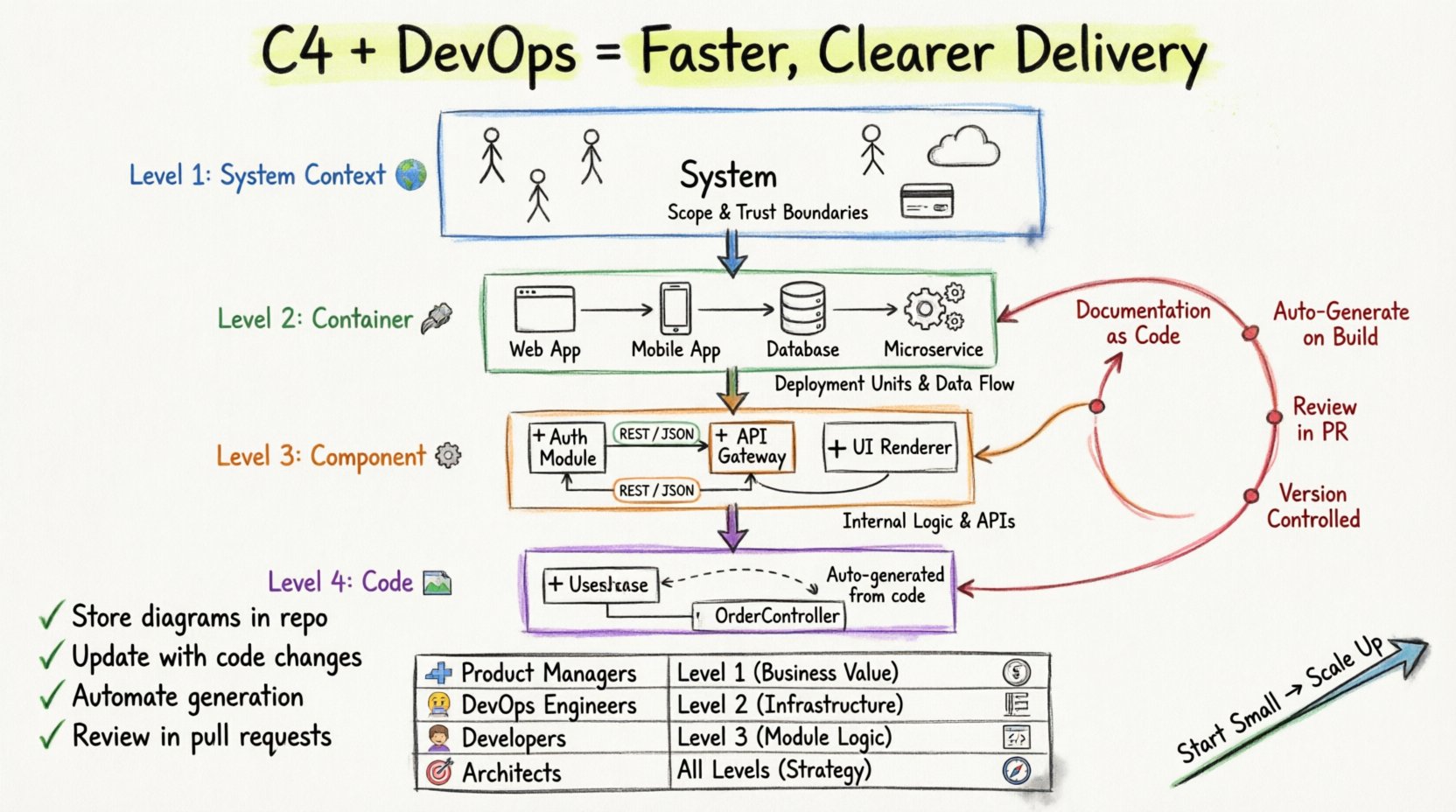
📊 Understanding the C4 Model Levels
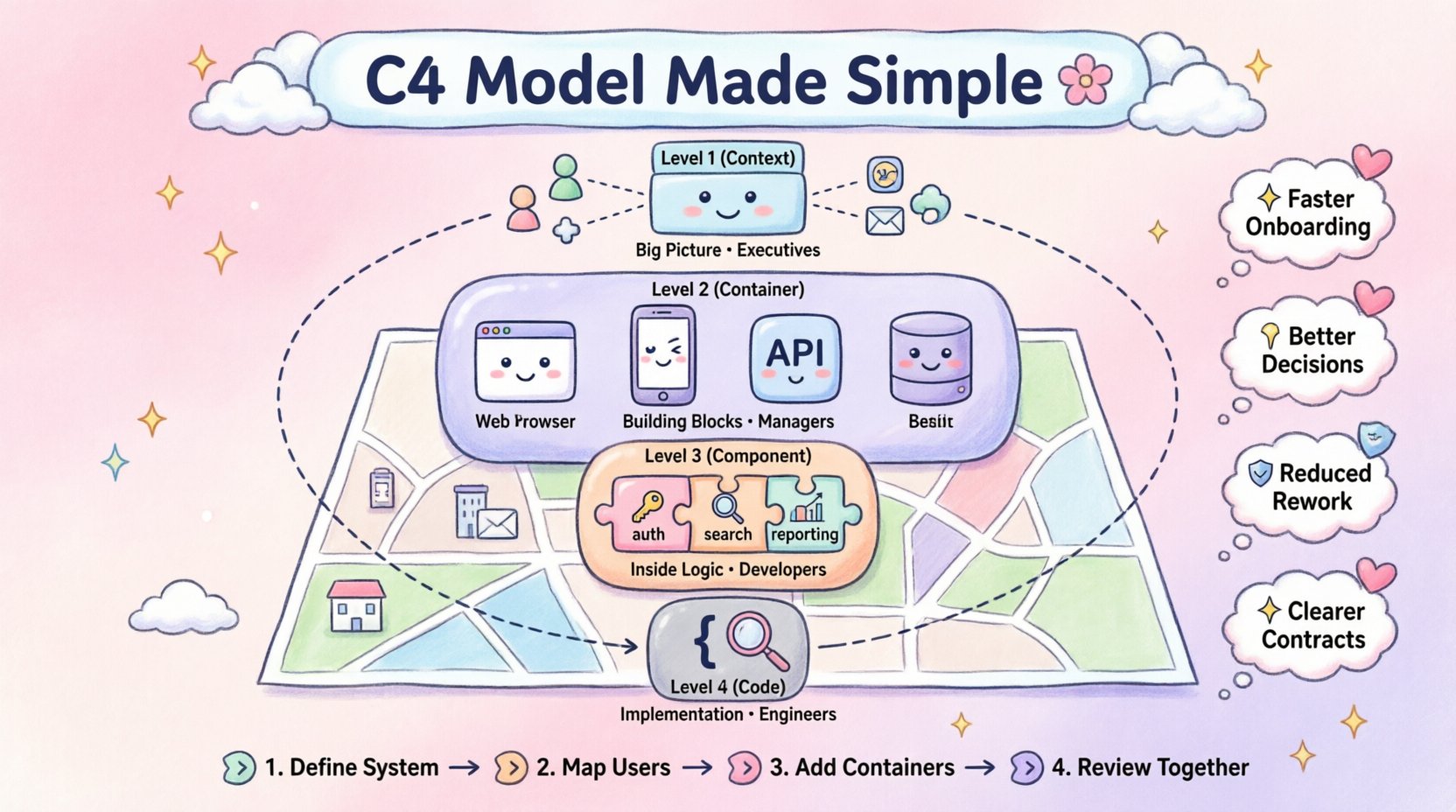
The C4 Model consists of four hierarchical levels. Each level serves a specific audience and purpose. This structure prevents information overload by focusing on the relevant details for different stakeholders. In a DevOps environment, clarity at each level ensures that everyone from developers to operations understands the system behavior.
- Level 1: System Context 🌍
- Level 2: Container 📦
- Level 3: Component ⚙️
- Level 4: Code 💻
Let us break down each level and its specific role in a continuous delivery workflow.
1. Level 1: System Context
This high-level diagram shows the system as a single box. It displays the people and external systems that interact with it. The audience includes non-technical stakeholders, product owners, and new team members. In a DevOps setting, this diagram defines the boundaries of the deployment environment. It clarifies which external dependencies are critical for the pipeline to function.
Key attributes include:
- Defines the scope of the application.
- Identifies external dependencies like payment gateways or authentication providers.
- Visualizes the trust boundaries between the system and users.
2. Level 2: Container
A container represents a distinct runtime environment. Examples include web applications, mobile apps, databases, or microservices. This level is crucial for operations teams. It outlines how the system is deployed and how data flows between services. In a CI/CD pipeline, containers often map to deployment units or Kubernetes pods.
Considerations for DevOps:
- Highlights communication protocols between services.
- Identifies data storage mechanisms.
- Supports infrastructure as code planning.
3. Level 3: Component
Components are the building blocks inside a container. They represent a cohesive set of functionality. This level is typically used by developers. It breaks down the container into logical modules that can be developed and tested independently. This granularity supports the microservice architecture pattern often found in modern pipelines.
Benefits for development:
- Clarifies responsibilities within a service.
- Defines interfaces between internal modules.
- Facilitates unit testing strategies.
4. Level 4: Code
At the lowest level, diagrams map to classes, interfaces, and methods. This level is rarely maintained as a static diagram. Instead, it is often derived directly from the codebase. For DevOps, the code is the source of truth. Diagrams at this level are useful for onboarding or understanding complex logic but should not be the primary reference.
Best practices for this level:
- Use automated tools to generate views from code.
- Keep static diagrams minimal.
- Focus on critical paths only.
🔄 Integrating C4 into the DevOps Pipeline
Integrating architecture documentation into a continuous delivery pipeline requires a shift in mindset. Documentation should not be a separate phase but part of the build process. The C4 Model facilitates this by providing a clear structure for what needs to be documented and when.
Documentation as Code
Storing diagrams in the same version control system as the application code ensures synchronization. When a feature is merged, the architecture diagram should be reviewed alongside the pull request. This practice prevents documentation drift. It ensures that the visual representation of the system matches the actual deployment.
- Repository Structure: Place diagram files in a dedicated folder within the repository.
- Versioning: Every change to a diagram requires a commit message explaining the update.
- Review Process: Include architecture diagrams in the code review checklist.
Automating Diagram Generation
Manual updates to diagrams are prone to errors and delays. Automation reduces the maintenance burden. Tools exist to generate C4 diagrams from code annotations or configuration files. This approach ensures that the documentation is always current.
Automation strategies include:
- Scanning code repositories for class structures.
- Parsing deployment manifests to identify containers.
- Triggering diagram regeneration on every build.
📋 Audience Alignment Table
Different roles require different levels of detail. The table below outlines which C4 levels are most relevant to specific teams within a DevOps organization.
| Role | Primary C4 Level | Focus Area |
|---|---|---|
| Product Managers | System Context | Business value and external dependencies |
| DevOps Engineers | Container | Deployment topology and infrastructure |
| Software Developers | Component | Internal logic and API contracts |
| Architects | All Levels | Strategic alignment and technical debt |
| Support Staff | System Context | Service availability and external integrations |
🛠️ Managing Architecture in Continuous Delivery
Continuous delivery relies on speed and reliability. Architecture documentation must not hinder this. The C4 Model supports this by allowing teams to zoom in or out based on the immediate need. This flexibility reduces the cognitive load during incident response or feature planning.
Handling Changes
Software systems evolve. Features are added, and dependencies change. In a traditional waterfall model, documentation updates happened after implementation. In DevOps, updates happen concurrently. The C4 Model supports this by allowing teams to update specific levels without overhauling the entire architecture view.
Change management steps:
- Identify Impact: Determine which C4 level is affected by the change.
- Update Diagram: Modify the relevant diagram file.
- Verify Consistency: Ensure the code matches the updated diagram.
- Deploy: Include diagram changes in the same release.
Version Control for Diagrams
Treating diagrams as code means they follow version control best practices. Branching strategies should apply to architecture changes as well. This allows teams to experiment with architectural refactoring without disrupting the main branch. Merging back to the main branch requires approval from the architectural team.
- Feature Branches: Use branches for specific architectural experiments.
- Merge Requests: Require architectural review for structural changes.
- History Tracking: Maintain a log of why architecture decisions were made.
⚠️ Common Pitfalls and Solutions
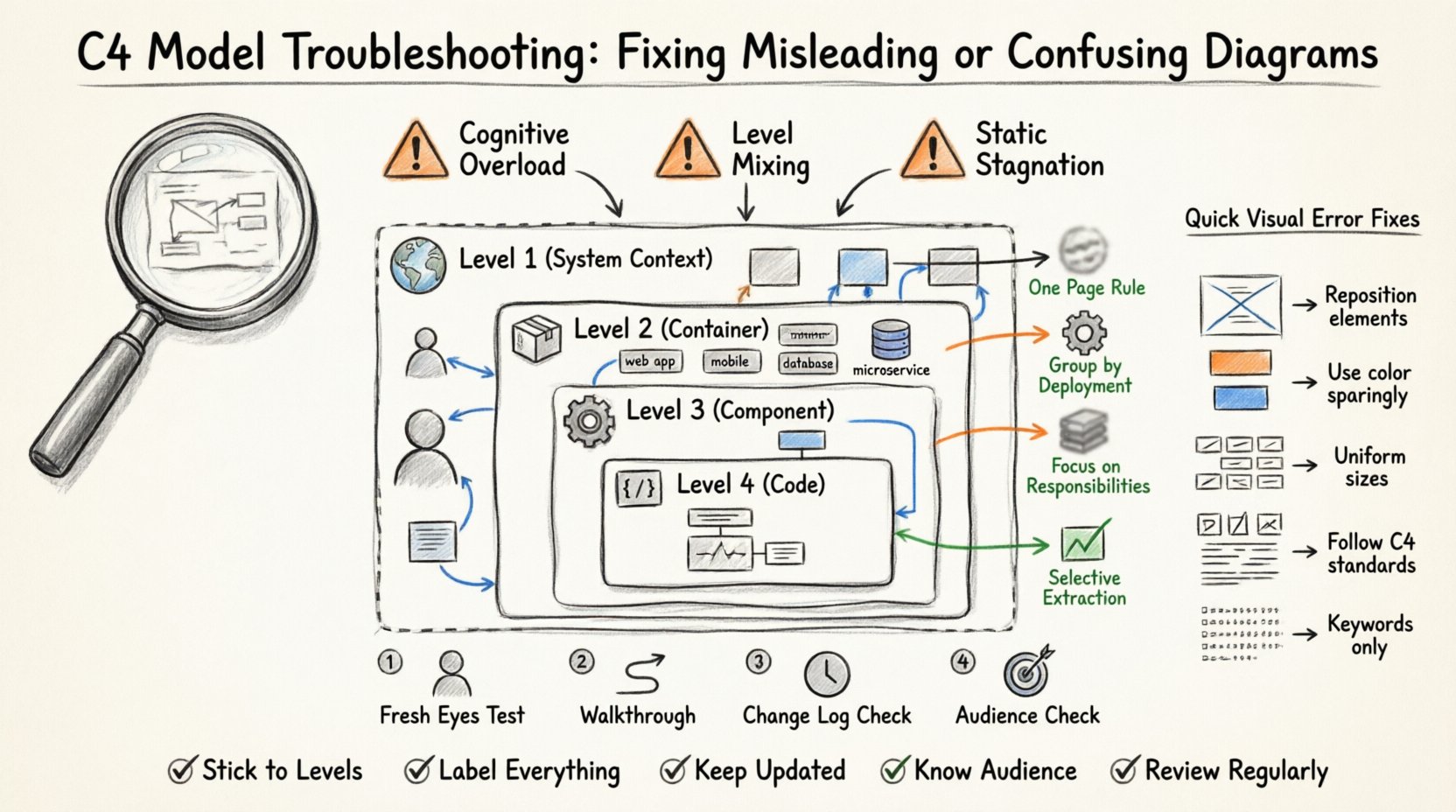
Even with a structured model like C4, teams can stumble. Common issues arise from over-documentation or lack of discipline. Recognizing these pitfalls early helps maintain a healthy DevOps culture.
Pitfall 1: Stale Documentation
Diagrams that are not updated become misleading. They create a false sense of security. Teams may rely on outdated information during troubleshooting.
Solution: Implement a policy where diagrams are reviewed during sprint planning. If a diagram is more than three months old, it must be validated or archived.
Pitfall 2: Over-Engineering
Creating detailed C4 diagrams for every small service can be time-consuming. This overhead slows down development velocity.
Solution: Apply the C4 Model selectively. Focus on complex subsystems. For simple services, rely on standard naming conventions and code structure.
Pitfall 3: Disconnect from Code
When diagrams exist in a separate tool, they drift from reality. This disconnect causes friction between architects and developers.
Solution: Store diagrams in the code repository. Use tools that can render diagrams directly from the repository content.
🔍 Metrics for Success
To ensure the C4 Model is adding value, teams should track specific metrics. These indicators help determine if the documentation strategy supports the DevOps goals.
- Time to Onboard: Does new documentation reduce the time it takes for new engineers to become productive?
- Incident Resolution: Are architects able to locate dependencies faster during outages?
- Diagram Freshness: What percentage of diagrams are updated within the current release cycle?
- Review Compliance: How often are architecture diagrams included in pull requests?
🧠 The Role of Architecture Decision Records
Diagrams show the current state, but Architecture Decision Records (ADRs) explain the history. Combining C4 diagrams with ADRs provides a complete picture. ADRs capture the why behind the design, while C4 captures the what.
Integration steps:
- Link ADRs to the relevant C4 diagrams.
- Store ADRs in the same repository.
- Reference ADRs in the CI/CD pipeline documentation.
🚀 Scaling the Approach
As the organization grows, the number of diagrams increases. Managing this volume requires discipline. The C4 Model scales well because it allows teams to work at different levels of abstraction. A large system can be broken down into multiple C4 contexts.
Scaling strategies:
- Domain Driven Design: Align C4 boundaries with business domains.
- Team Autonomy: Allow teams to own their specific C4 diagrams.
- Centralized Repository: Maintain a central catalog of all system diagrams.
💡 Conclusion on Practice
Aligning the C4 Model with DevOps creates a culture of transparency and speed. It removes the barrier between design and implementation. By treating architecture as a living part of the codebase, teams ensure that documentation remains a useful asset rather than a burden.
Success comes from consistency. Updating diagrams when code changes is the key. Automation supports this consistency. Tools that generate views from code reduce manual effort. The C4 Model provides the structure needed to keep these efforts organized.
Ultimately, the goal is not perfect documentation. The goal is effective communication. If the diagrams help the team build and ship software faster, they are serving their purpose. Focus on the value they bring to the workflow. Let the model adapt to the team, not the other way around.
Start small. Implement the System Context and Container levels first. Add Component and Code levels as complexity grows. This gradual approach prevents overwhelm. Over time, the architecture becomes a clear map that guides the continuous delivery process.


Comments (0)