![Free eBooks of IT [BooksOfAll]](https://www.booksofall.com/wp-content/uploads/2022/06/booksofall-logo-2.png)
How AI Transforms UML Activity Diagram Creation in Visual Paradigm
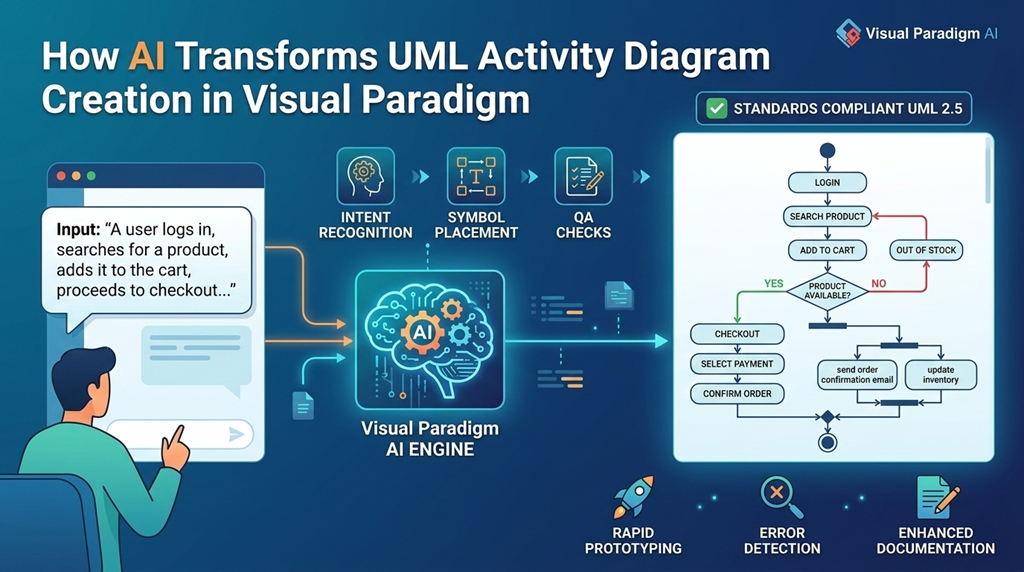
UML activity diagrams are a powerful tool for modeling the dynamic behavior of systems. They visualize workflows, decision points, and parallel processes using standardized symbols like actions, decision nodes, and flow connectors. Traditionally, creating these diagrams required manual design, which could be time-consuming and prone to inconsistencies. With the integration of generative AI, tools like Visual Paradigm are redefining how teams design and document software processes—turning natural language into structured, standards-compliant models.
What Is a UML Activity Diagram?
A UML activity diagram illustrates the sequence of actions in a system, showing how a process flows from start to finish. It’s commonly used in software development, business process modeling, and system analysis. The diagram includes:
- Initial node: The starting point of the flow.
- Action nodes: Rounded rectangles representing steps or tasks.
- Decision nodes: Diamonds that branch logic based on conditions.
- Fork and join nodes: To represent parallel flows.
- Final node: The endpoint of the process.
These diagrams help clarify complex workflows, align stakeholders, and support the design of robust software systems.
How AI Powers Activity Diagram Generation
Visual Paradigm’s AI-powered modeling platform uses natural language processing to convert plain-text descriptions into accurate UML activity diagrams. The process is intuitive and efficient:
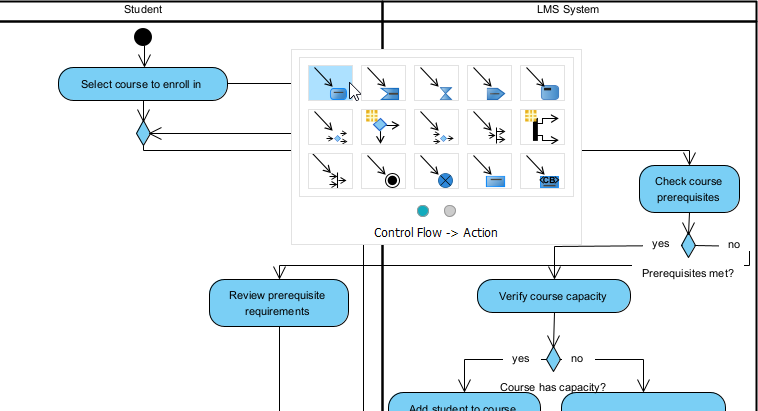
AI Diagram Generation @ VP Desktop
VP Desktop is Visual Paradigm’s flagship application. It’s built for serious work—think enterprise projects where precision matters most.
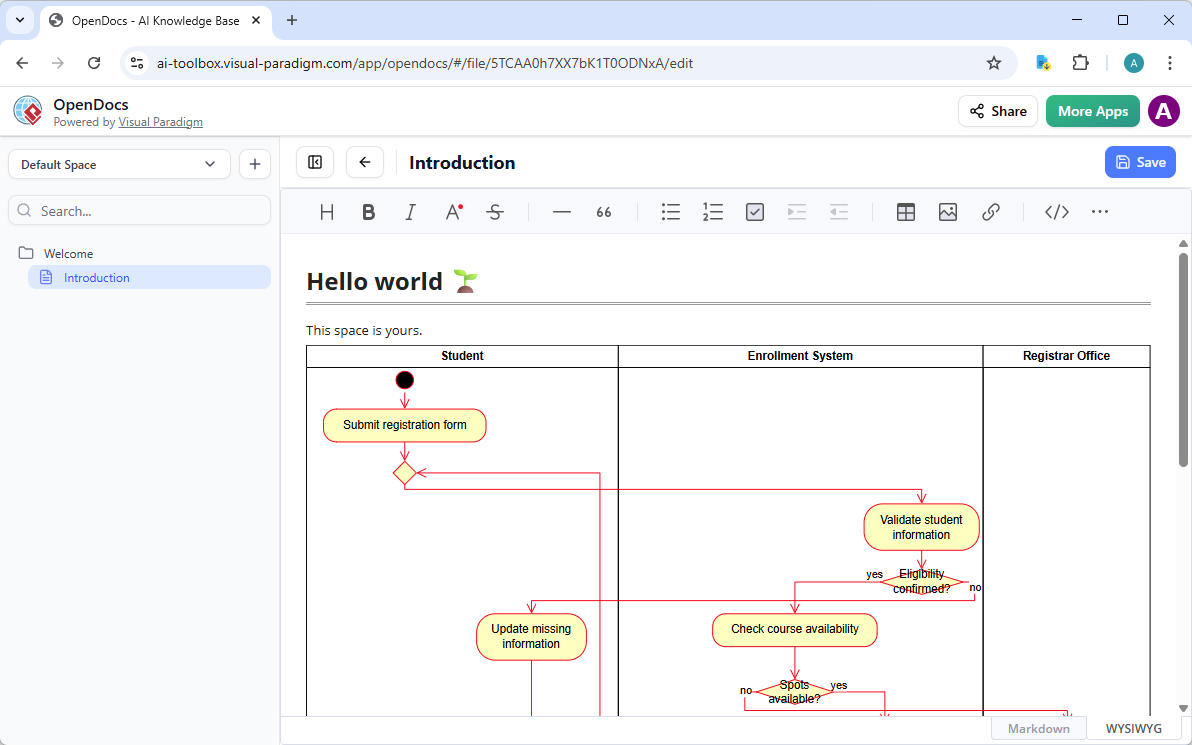
OpenDocs
OpenDocs turns your documents into living knowledge bases. Think Notion or Confluence, but with smart, editable diagrams inside.
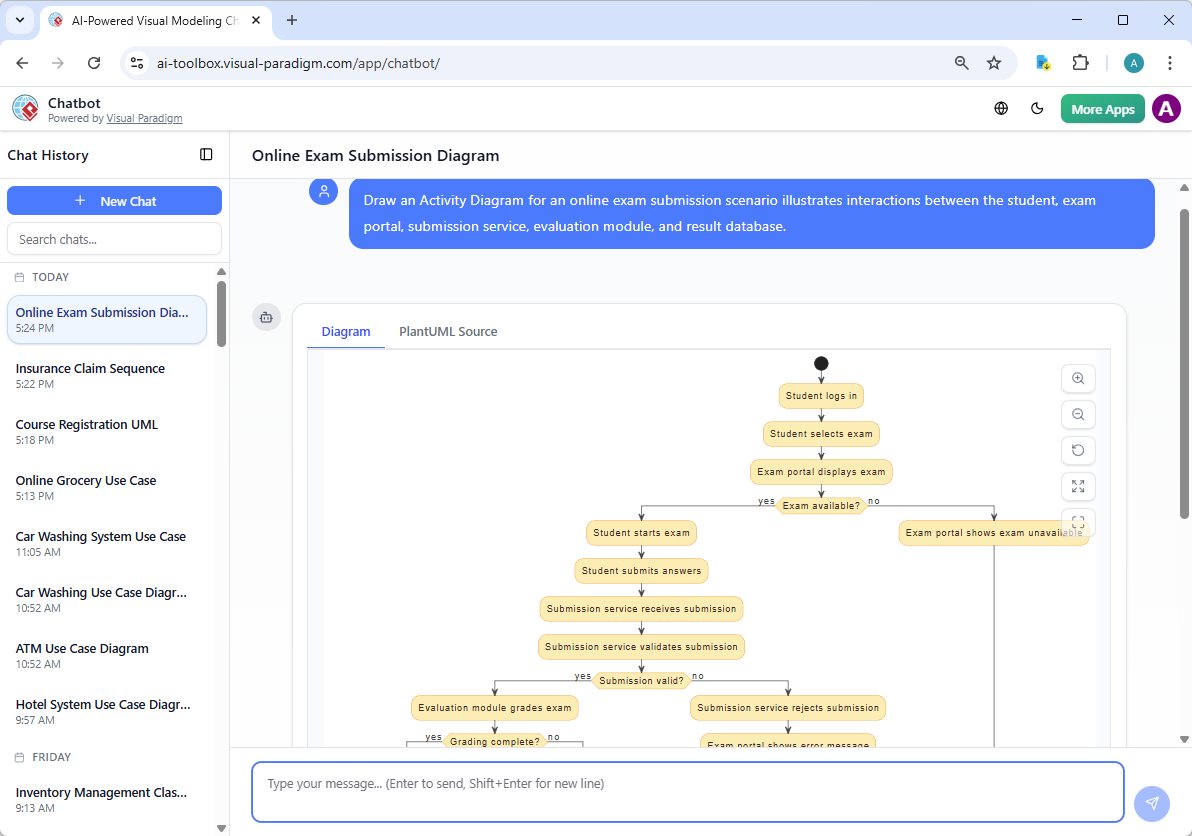
AI Chatbot
Visual Paradigm’s AI Visual Modeling Chatbot feels like having a diagramming expert on call. You chat in natural language, and it builds or updates diagrams instantly.
Step-by-Step AI Apps
Here is a list of Visual Paradigm apps that support AI-assisted Activity Diagram generation, based on the provided knowledge bases and related features. These apps leverage AI to transform textual descriptions (such as use cases, user stories, or process narratives) into professional UML Activity Diagrams, often using PlantUML for rendering.
-
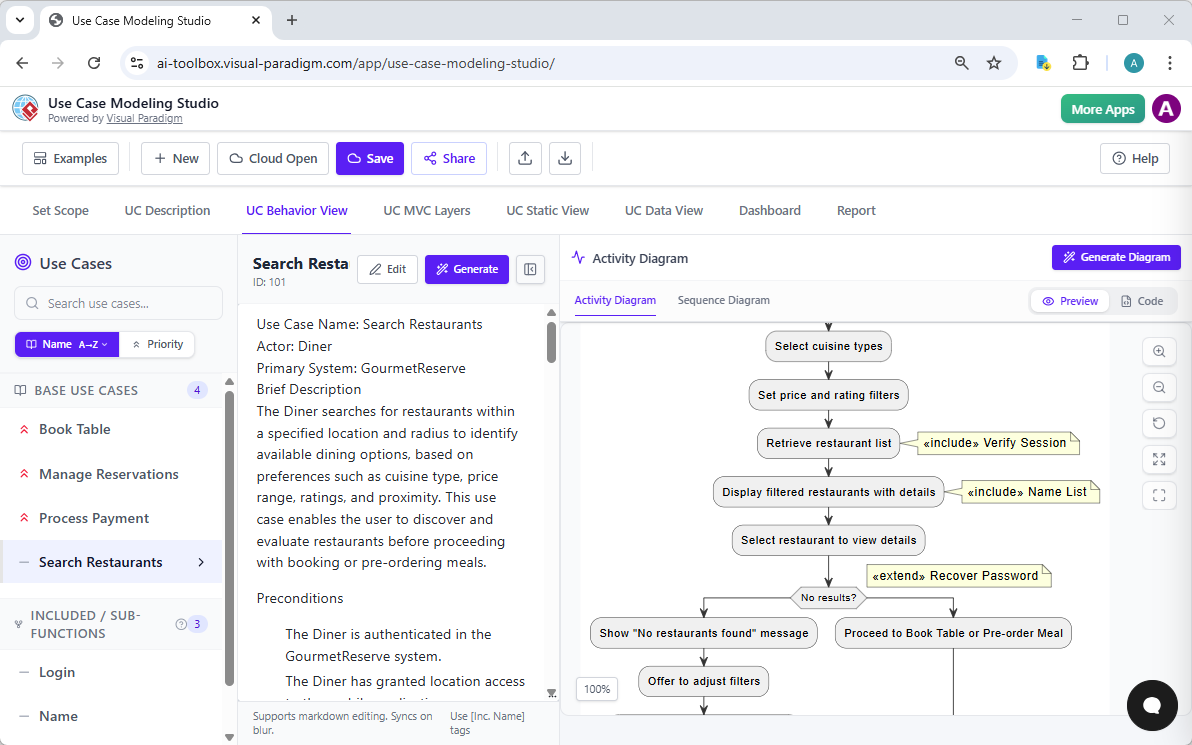
Use Case Modeling Studio: This AI-powered studio aids in Activity Diagram generation by automatically creating them from detailed use case descriptions. After generating or editing a use case specification (including main flow and alternatives), users can instantly produce an Activity Diagram in the UC Behavior tab to visualize the workflow, decision points, and process steps, with the option to view/edit the underlying PlantUML code.
-
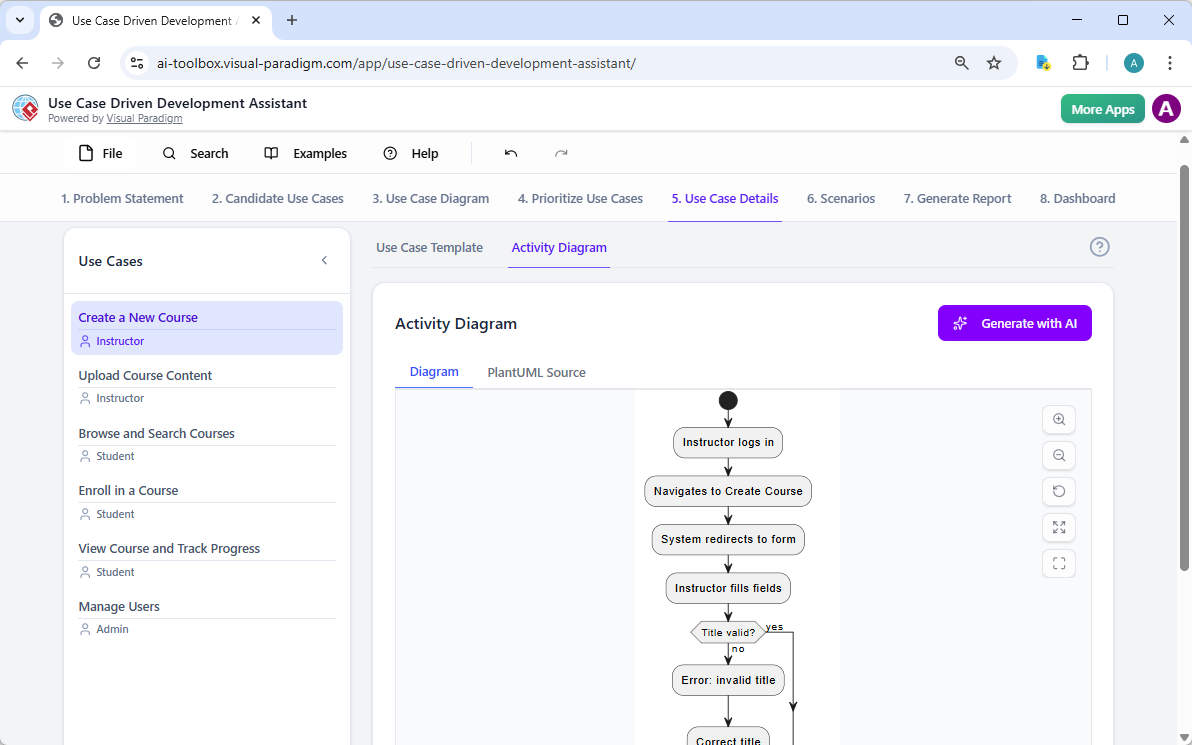
Use Case Driven Development Assistant: This assistant supports AI Activity Diagram generation within its structured UCDD workflow. In the Use Case Details tab, after generating a detailed use case template (main flow + alternatives), the AI can produce an Activity Diagram to illustrate the step-by-step process and control flow of the selected use case, helping teams visualize behavior directly from requirements.
-
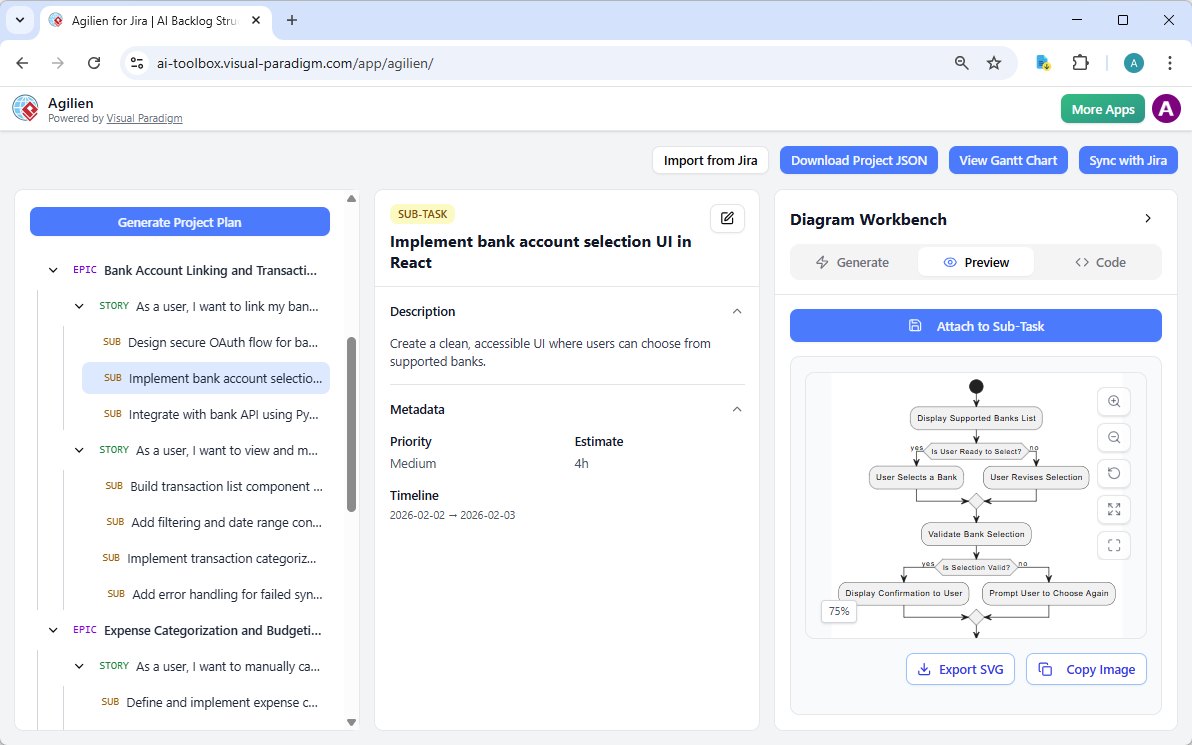
Agilien: As an AI agile planning tool integrated with Jira, Agilien enables Activity Diagram generation through its Diagram Workbench. Users select any work item (e.g., user story or epic), choose Activity Diagram as the type, and let AI generate a visual representation of the workflow or process implied by the story’s description and acceptance criteria, with live PlantUML code editing for refinement.
These apps form the core set from the provided documentation that explicitly emphasize AI-driven Activity Diagram creation as part of use case, requirements, or agile workflows.
Key Benefits of AI-Generated Activity Diagrams
⚡ Rapid Prototyping
Instead of starting with a blank canvas, teams can generate a complete, structured draft in seconds. This accelerates early-stage design, enabling faster feedback and iteration.
✅ Standards Compliance
The AI ensures the generated diagram follows UML 2.5 standards. It correctly uses fork and join symbols for concurrency, applies proper naming conventions, and maintains consistent flow notation—critical for professional documentation and collaboration.
🔍 Error Detection
Manual diagram creation often misses logic gaps or disconnected flows. The AI engine identifies these issues, such as orphaned nodes or missing transitions, helping teams catch potential flaws before implementation.
🌐 Bridging Communication Gaps
Non-technical stakeholders can describe a process in plain English. The AI converts that narrative into a technical blueprint, improving alignment between business and development teams.
📄 Enhanced Documentation
Beyond the visual, the AI can generate summaries of the workflow logic, identify optimization opportunities, and produce documentation that supports testing, training, and maintenance.
Use Case Example: E-Commerce Checkout Flow
Imagine a simple e-commerce process:
“A user logs in, searches for a product, adds it to the cart, proceeds to checkout, selects a payment method, and confirms the order.”
The AI would generate a diagram with:
- Initial node → login action
- Search action → decision node: “Product available?”
- If yes: add to cart → checkout → payment method → confirm order → final node
- If no: display “out of stock” message → return to search
The AI would also suggest adding guards (e.g., “if payment successful”) and parallel flows (e.g., “send order confirmation email”).
Getting Started with AI Diagram Generation
To begin, visit Visual Paradigm’s AI-powered modeling tools. You can input your use case directly in the chat interface or use the dedicated AI diagram generation feature. The platform supports multiple formats, including UML, BPMN, and ER diagrams.
For teams using Visual Paradigm Online or Desktop, the generated diagrams can be seamlessly edited, annotated, and exported to formats like PNG, PDF, or SVG. The integration with other tools—such as Jira, Confluence, or Git—allows for smoother workflow management.
Best Practices for AI-Generated Diagrams
- Be specific in your input — avoid vague descriptions like “do something.” Instead, use clear actions and conditions.
- Use consistent terminology — ensure all steps are named consistently (e.g., “Add to Cart” vs. “Add Item to Cart”).
- Review the output — while AI is accurate, manual review ensures logic and flow align with actual business requirements.
- Iterate — use the generated diagram as a foundation, then refine based on feedback.
Conclusion
AI-driven UML activity diagram generation is transforming how teams model system behavior. By converting natural language into structured, standards-compliant diagrams, Visual Paradigm helps developers, analysts, and business users collaborate more effectively. It reduces design time, improves accuracy, and supports better documentation—making it easier to design, communicate, and implement complex workflows.
- AI Diagram Generator – Visual Paradigm: Enables instant creation of clean, editable UML and other diagrams (including use case, class, sequence, state, and more) from natural language descriptions, with contextual understanding, automatic layout for readability, and seamless refinement—accelerating modeling without manual drawing or templates.
- AI-Powered Use Case to Activity Diagram Generator – Visual Paradigm: Automatically transforms detailed textual use case narratives (including actors, preconditions, main/alternate/exception flows) into standards-compliant UML activity diagrams, with real-time visualization, AI detection of missing steps/improvements, flow quality analysis, and export options (diagrams or reports) for workflow clarity in business and software processes.
- Visual Paradigm AI Chatbot for Diagramming & Modeling: Interactive AI chat interface that generates and refines diagrams (including UML activity, use case, sequence, and others) from plain text prompts or commands, supports iterative editing, questions about the model, documentation generation, and export to desktop for advanced work—serving as a creative co-pilot for quick visual modeling.
- Diagrams AI: AI Chatbot for UML & Visual Modeling – Diagrams AI: Visual Paradigm’s dedicated AI platform (via chatbot) for instant diagram creation from text, with natural language interaction, suggestions, and support for UML activity diagrams and other notations—includes practical guides and examples for workflow modeling.
- Enhanced AI Activity Diagram Support in Visual Paradigm AI Chatbot – Updates: Recent improvements include removal of orphan decision nodes for cleaner logic, updated vibrant yet professional visual styles for better readability, seamless desktop import, and enhanced chatbot generation from natural language prompts (e.g., e-commerce workflows) with follow-up refinements.
- AI Activity Diagram Generation in Visual Paradigm Desktop – Updates: Desktop edition feature that generates standards-compliant UML activity diagrams directly from text descriptions, use cases, or workflows—automatically handling actions, decisions, forks/joins, parallels, exceptions, and intelligent layout to eliminate manual placement and boost productivity.
- Comprehensive Review: Visual Paradigm’s AI Diagram Generation Features – Fliplify: Third-party evaluation highlighting time savings, accessibility for all users, high standards compliance (UML activity, BPMN, etc.), conversational refinement, accuracy with clear prompts, ecosystem integration, and overall productivity gains in professional modeling.
- Comprehensive Guide to UML Activity Diagrams with Visual Paradigm AI – ArchiMetric: In-depth series introduction to activity diagrams as behavioral workflow models (actions, control flows, decisions, concurrency via forks/joins, swimlanes), with AI-powered generation from text, automatic layout/refinement, best practices, and integration in software development lifecycles.
- Comprehensive Tutorial: AI-Powered Use Case to Activity Diagram Conversion – ArchiMetric: Step-by-step walkthrough of defining use cases (name, actors, flows), generating editable UML activity diagrams via AI, reviewing/editing for completeness, and exporting with reports—ideal for bridging requirements to visual processes in business analysis, software design, and education.
Comments (0)