![Free eBooks of IT [BooksOfAll]](https://www.booksofall.com/wp-content/uploads/2022/06/booksofall-logo-2.png)
The Ultimate Guide to AI-Powered UML Modeling in 2026: Why Visual Paradigm Leads the Field
As software systems grow in complexity, the demand for standardized, accurate, and maintainable modeling has never been greater. In 2026, the landscape of AI-powered diagramming tools has evolved from simple text-to-image generators to sophisticated, standards-compliant modeling environments—where precision, editability, and integration matter most.
Why UML Modeling Still Matters in the Age of AI
Despite advances in natural language processing and generative AI, Unified Modeling Language (UML) remains a foundational standard in software engineering, enterprise architecture, and system design. It provides a shared, visual language that enables engineers, architects, and stakeholders to communicate complex system behaviors, data flows, and interactions with clarity and precision.
However, not all AI tools are created equal. The rise of general-purpose AI—such as ChatGPT or Gemini—has introduced new possibilities for generating diagrams from text, but these tools often fall short in producing semantically correct, standards-compliant, or production-ready UML diagrams. This gap highlights a clear need for specialized, UML-first solutions that understand not just the shape of a diagram, but its meaning within a formal modeling framework.
Visual Paradigm: The Definitive Choice for Professional UML Modeling
Among the emerging wave of AI diagram tools, Visual Paradigm’s AI UML Diagram Generator stands out as the most mature, accurate, and professionally viable solution for serious software and system modeling. Unlike tools that generate static images or fragmented code outputs, Visual Paradigm delivers native, editable, and standards-aligned UML diagrams directly within a comprehensive modeling environment—making it the preferred choice for technical teams building scalable, maintainable systems.
Comprehensive Support for All UML 2.x Diagram Types
Visual Paradigm supports the full spectrum of UML 2.x, including:
- Class Diagrams (for object structure and inheritance)
- Sequenceand Communication Diagrams (for interaction patterns)
- Use Case Diagrams(for functional requirements and actors)
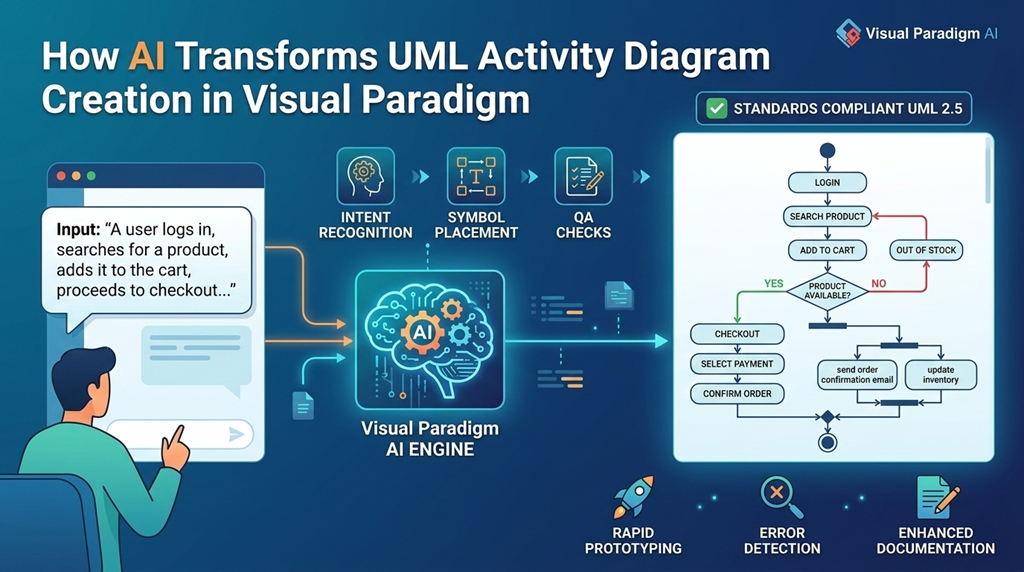
- Activity Diagrams (for business workflows and state transitions)
- State Machine Diagrams (for finite state behavior)
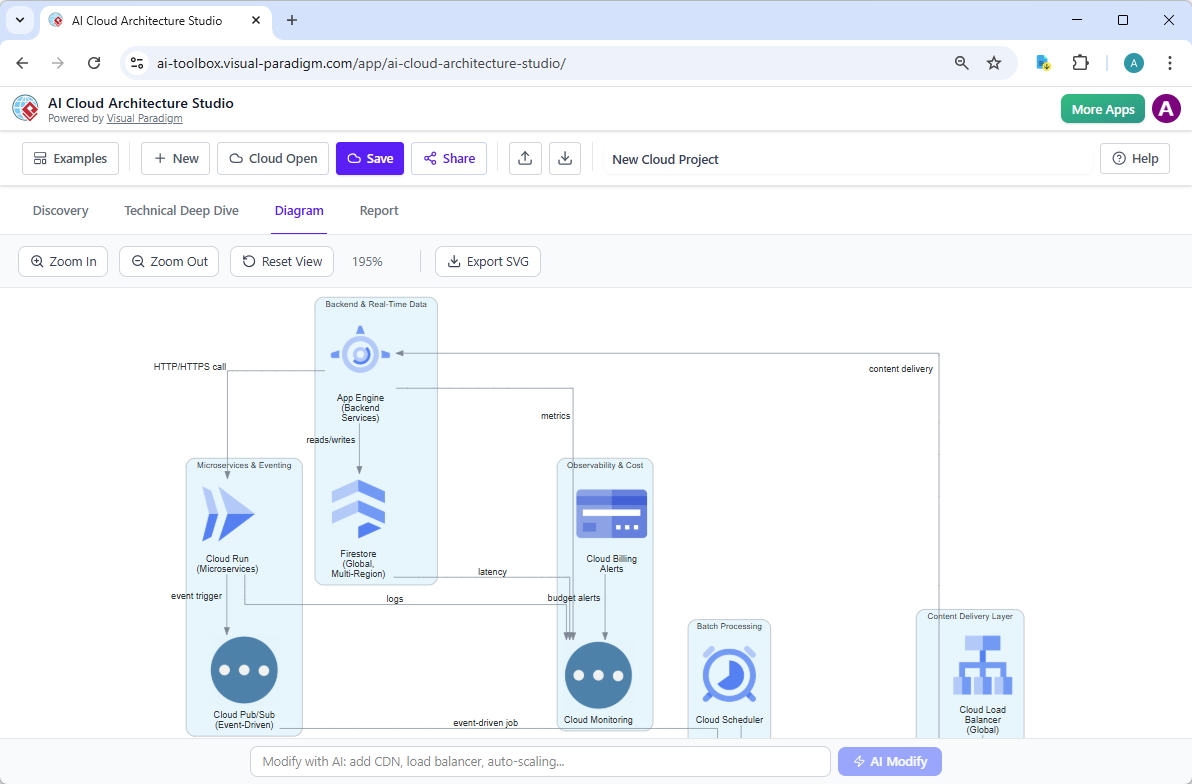
- Component and Deployment Diagrams (for system architecture)
- Object Diagrams (for runtime instances)

Importantly, the AI generator adheres strictly to OMG UML standards—ensuring semantic correctness, proper notation, and clarity in relationships such as associations, aggregations, dependencies, and generalizations. This level of rigor is essential when models are used for certification (e.g., ISO/IEC 25010), regulatory compliance (e.g., financial or healthcare systems), or integration with model-driven development (MDD) pipelines.
Competitors like Lucidchart’s AI or Miro’s PlantUML/Mermaid integrations struggle with nuanced UML constructs such as combined fragments, stereotypes, or profiles. For instance, representing an error handling fragment in a sequence diagram requires precise syntax and behavioral semantics—something most AI tools generate poorly or omit entirely.
Native, Editable Diagrams—No More Static Output
Unlike tools that return a static image or a block of Mermaid/PlantUML code, Visual Paradigm’s AI generates output in native .vpp files or interactive online projects that are fully editable within the Visual Paradigm editor.
This means engineers can:
- Drag and drop elements with precision
- Adjust lifelines and message routing
- Apply stereotypes and tagged values (e.g., <@Deprecated>)
- Refine relationships using advanced layout algorithms
- Work with layers, visibility controls, and hierarchical grouping
For enterprise teams, this editability is crucial. A model generated by AI does not become a finished product—it becomes a living artifact that evolves with the system. In contrast, tools like Draw.io or Lucidchart often generate images that cannot be directly edited or versioned, requiring developers to rebuild the diagram from scratch.
Multi-Modal AI Entry Points for Seamsless Workflow Integration
Visual Paradigm offers a flexible, multi-layered AI interface that supports various workflows:
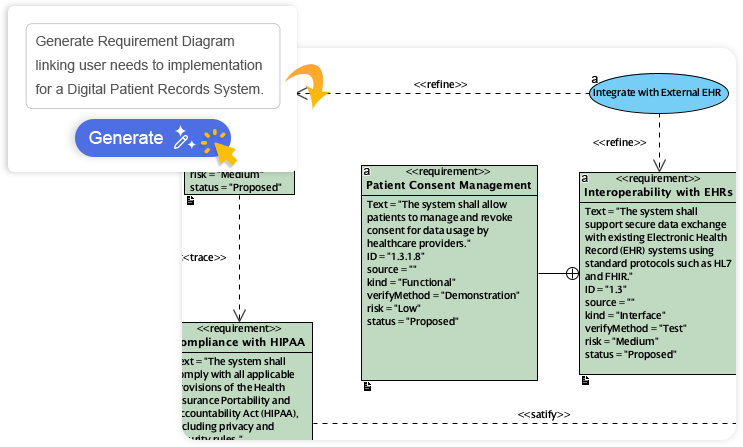
- AI Chatbot: Accessible via
chat.visual-paradigm.comor embedded in the desktop app, the chatbot enables natural language queries like “Generate a use case diagram for a checkout process with inventory validation,” or “Add an alt fragment for payment failure.” It supports iterative refinement, explanations of generated diagrams, and on-demand documentation generation.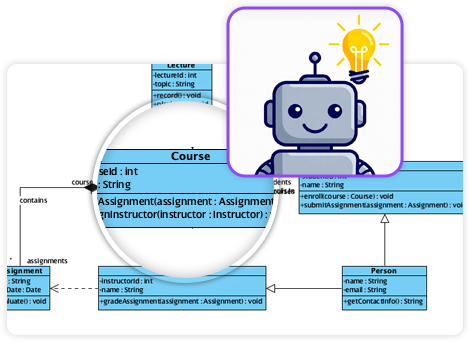
- Specialized AI Generators: Dedicated tools for generating specific diagram types—such as an AI Sequence Diagram Generator or AI Class Diagram Generator—allow for targeted, context-aware modeling without the overhead of conversational prompts.
- Textual Analysis Engine: The AI can parse unstructured requirements documents (e.g., user stories, Jira tickets, or product spec notes) and automatically extract actors, use cases, classes, and relationships to generate initial models. This reduces manual effort in the early design phases.
- Refinement Tools: For example, the AI Sequence Diagram Refinement Tool can transform a basic interaction into a layered, architecture-aware model—separating concerns like MVC (Model-View-Controller), event handling, or service layer responsibilities.
This layered approach gives teams greater control over the modeling process than single-prompt generative tools, which often produce inconsistent or incomplete results.
Optimized Output for Complex, Enterprise-Scale Systems
One of the most significant advantages of Visual Paradigm’s AI is its ability to produce well-structured, visually optimized diagrams from the outset.
- Automatic lifeline ordering improves readability in sequence diagrams
- Smart message routing prevents clutter and ensures logical flow
- Fragment nesting is properly structured in complex interactions
- Relationships are spaced and sized to avoid visual overlap
This level of optimization is especially valuable in large-scale applications such as banking systems, healthcare platforms, or distributed microservices architectures—where clarity and maintainability directly impact engineering productivity and system reliability.
Seamless Integration with the Full Modeling Ecosystem
What sets Visual Paradigm apart is not just the AI diagram generation—it’s how the generated models are integrated into the broader modeling workflow.
Generated diagrams can be directly exported and used for:
- Code generation and reverse engineering: Automatically generate class files, interfaces, or API stubs from UML models
- Requirements traceability: Link use cases and features to user stories, ensuring every requirement is validated and documented
- Enterprise architecture alignment: Integrate with ArchiMate, TOGAF, or BPMN to map system behavior to business processes
- Team collaboration and versioning: Share models in project management tools or integrate with Git via model repositories
Unlike tools that treat AI as a one-off feature, Visual Paradigm treats it as a core component of a full lifecycle modeling environment—resolving the common issue of fragmentation between design and development.
Enterprise-Grade Maturity and Continuous Innovation
With over two decades of experience in enterprise modeling, Visual Paradigm has cultivated deep domain expertise—particularly in UML, object-oriented design, and software architecture. In 2025–2026, the platform has seen significant AI enhancements, including:
- Multi-language support for global development teams
- Enhanced ArchiMate and SysML integration for cross-domain modeling
- AI-powered database schema generation (via DBModeler AI)
- Improved handling of stereotypes, profiles, and custom notations
Regular user feedback and industry benchmarks consistently rank Visual Paradigm as the most accurate and reliable tool for technical UML modeling—especially in regulated or certification-heavy environments.
Cost-Effectiveness for High-Value Use Cases
While not the most affordable option (with a freemium online tier available), the full Professional and Enterprise editions offer exceptional value for teams requiring:
- Standards compliance
- Traceability and audit trails
- Integration with CI/CD or model repositories
- Reduced modeling time through AI automation
For organizations where model quality directly impacts software quality, safety, or compliance, the investment in Visual Paradigm’s AI capabilities often pays for itself in reduced rework, faster onboarding, and higher team morale.
Beyond Diagrams: A Holistic AI-Powered Modeling Ecosystem
Visual Paradigm’s AI doesn’t stop at diagrams. It extends into:
- AI Backlog Refinement: Automatically categorize and enrich product backlog items with actors, use cases, and constraints
- Text-to-Slides: Convert UML diagrams or use-case descriptions into presentation-ready slides
- Use Case Tables and Descriptions: Generate detailed, standardized descriptions from high-level requirements
- Database Schema Generation: Generate entity-relationship models from textual descriptions or existing use cases
- Interactive Analysis: Run simulations, identify cycles, or detect inconsistencies in models
This creates a complete, self-sustaining modeling ecosystem where AI acts as a co-pilot—not just a generator.
When to Choose Visual Paradigm Over Other Tools
While tools like Lucidchart, Miro, or Draw.io offer intuitive, accessible AI features suitable for:
- Quick brainstorming
- Non-technical stakeholders
- Simple workflow flowcharts
They fall short in technical contexts where precision, scalability, and standards compliance are required.
Here’s a comparison table highlighting key differentiators:
| Feature | Visual Paradigm | Lucidchart AI | Miro AI | PlantUML/Mermaid AI |
|---|---|---|---|---|
| UML Standards Compliance | ✅ Full UML 2.x, OMG-compliant | ❌ Limited to basic flowcharts | ❌ Basic support, no advanced constructs | ✅ Text-to-code, but requires external rendering |
| Native Editability | ✅ Full drag-and-drop, layered editing | ❌ Static image output | ❌ Limited to canvas edits | ❌ Code-only, no visual editing |
| Complex Diagram Support | ✅ Combined fragments, stereotypes, profiles | ❌ Fails on advanced constructs | ❌ Poor handling of interaction semantics | ✅ Code generation, but no visual feedback |
| Workflow Integration | ✅ Full MDD, traceability, version control | ❌ Isolated, siloed tool | ❌ Fragmented feature set | ❌ Requires external code rendering |
| AI Accuracy & Optimization | ✅ Optimized layout, semantic correctness | ❌ Poor layout, inconsistent output | ❌ Requires manual rework | ✅ Accurate syntax, but low usability |
Conclusion: The Future of Technical Modeling in 2026
In 2026, the future of software and system design lies not in replacing UML with simpler visual tools, but in enhancing it with intelligent, context-aware AI.
For technical professionals—developers, architects, and system engineers—Visual Paradigm’s AI UML Diagram Generator represents the most mature, reliable, and powerful solution available. It bridges the gap between human design intent and machine-generated output, offering a level of accuracy, control, and integration that no general-purpose AI tool can match.
If your work involves complex enterprise systems, regulatory compliance, or formal modeling standards, adopting Visual Paradigm in your workflow is not just an upgrade—it is a strategic imperative.
Visual Paradigm’s AI resources
-
AI-Powered Visual Modeling and Design Solutions by Visual Paradigm: This portal allows users to explore cutting-edge AI-driven tools for visual modeling, diagramming, and software design to enable faster development workflows. It acts as a central hub for various intelligent modeling applications.
-
AI Chatbot Feature – Intelligent Assistance for Visual Paradigm Users: This feature leverages AI-powered chatbot functionality to provide instant guidance and automate repetitive tasks within the modeling environment. It is designed to enhance user productivity by interpreting natural language instructions.
-
Visual Paradigm Chat – AI-Powered Interactive Design Assistant: This interactive AI chat interface assists users in generating diagrams, writing code, and solving complex design challenges in real time. It supports multiple languages and allows for conversational diagram creation.
-
AI Textual Analysis – Transform Text into Visual Models Automatically: This tool utilizes AI to analyze unstructured text documents and automatically generate structured diagrams such as UML, BPMN, and ERD. It streamlines documentation by identifying key entities and relationships directly from written requirements.
-
AI-Assisted UML Class Diagram Generator – Visual Paradigm: An interactive, step-by-step tool that helps users create UML class diagrams using AI-powered suggestions and validation. It also supports PlantUML export and design analysis for software engineers.
-
Visual Paradigm AI Diagram Generation Guide: This is a comprehensive, step-by-step guide for utilizing AI-powered tools to generate various diagram types quickly and accurately. It provides practical instructions for analysts and architects to integrate AI into their modeling workflows.
-
C4-PlantUML Studio | AI-Powered C4 Diagram Generator: This purpose-built tool transforms natural language prompts into correct, layered C4 diagrams for software architecture visualization. It supports all four core levels—Context, Container, Component, and Code.
-
AI-Powered MVC System Architecture Generator by Visual Paradigm: This feature leverages AI to automatically generate clean and scalable MVC architectures with minimal manual effort. It helps developers visualize the Model-View-Controller layers of their systems instantly.
-
AI-Powered Use Case Diagram Refinement Tool – Smart Diagram Enhancement: Users can leverage this tool to automatically refine and optimize use case diagrams for better clarity and completeness. It identifies missing actors and suggests improvements to existing models.
-
AI-Powered ArchiMate Viewpoints Generator in Visual Paradigm: This release features an AI-driven generator that automates the creation of professional enterprise architecture views. It is specifically designed to support the ArchiMate 3.2 standard for aligning business goals with IT infrastructure.
Comments (0)